

Turn On Autostart for NotifySave on Xiaomi Devices
If autostart is not turned on, NotifySave will not work after your phone restarts. Enable it in Settings as shown below.
Warning: This article applies to Xiaomi devices only.
Enable autostart
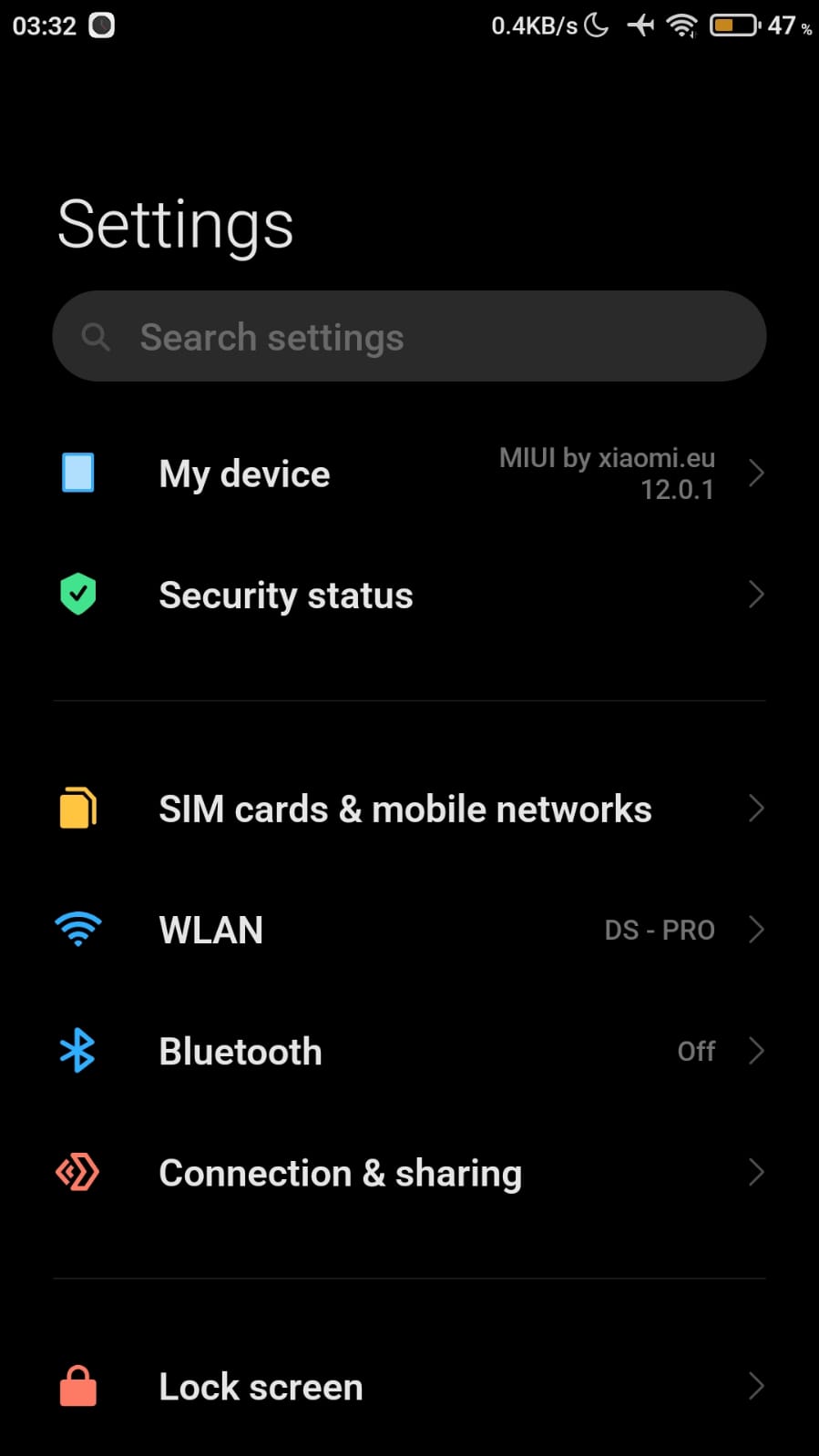
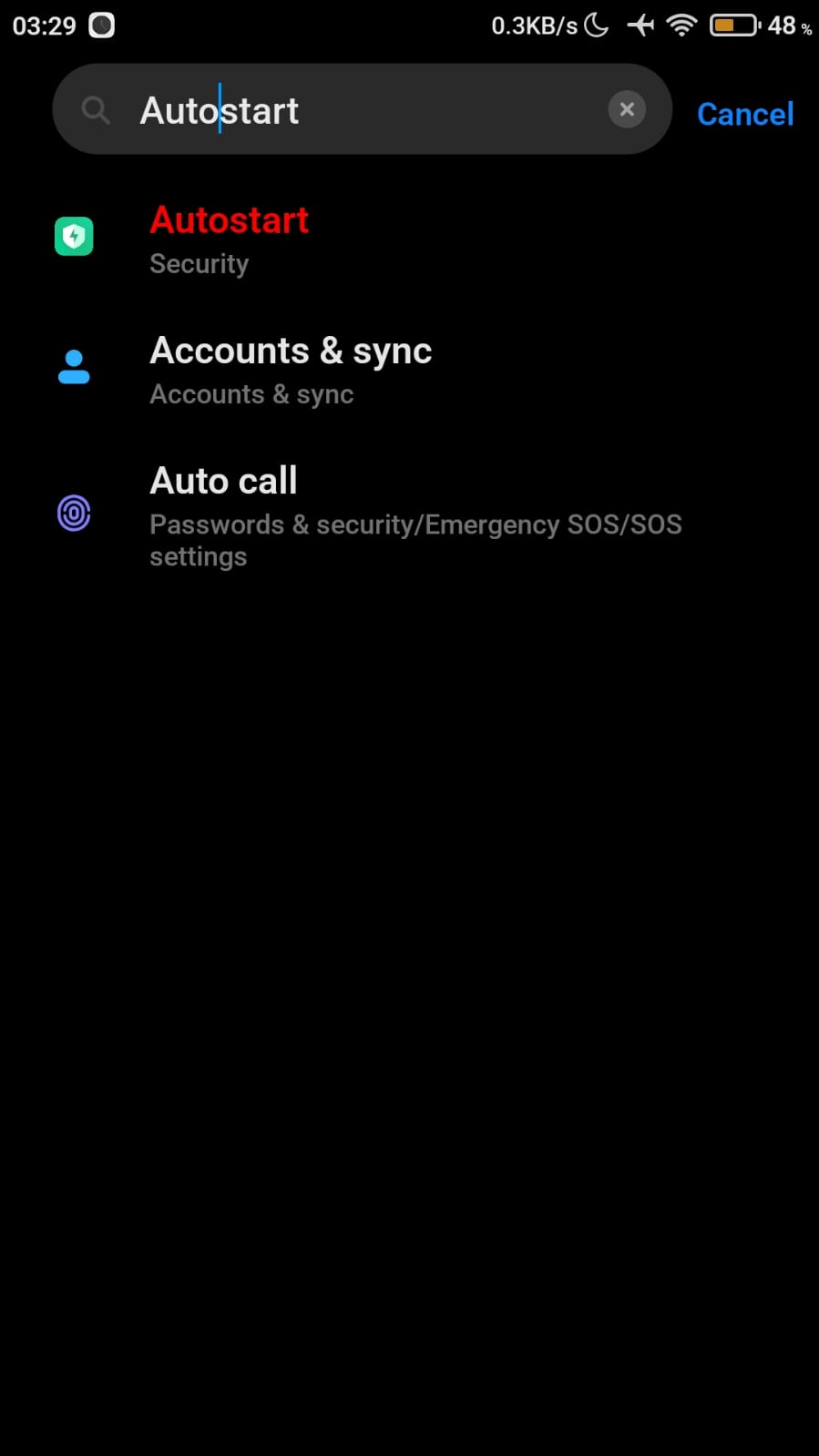
- Open Settings and type auto start in the search bar.
- Tap the option that appears.
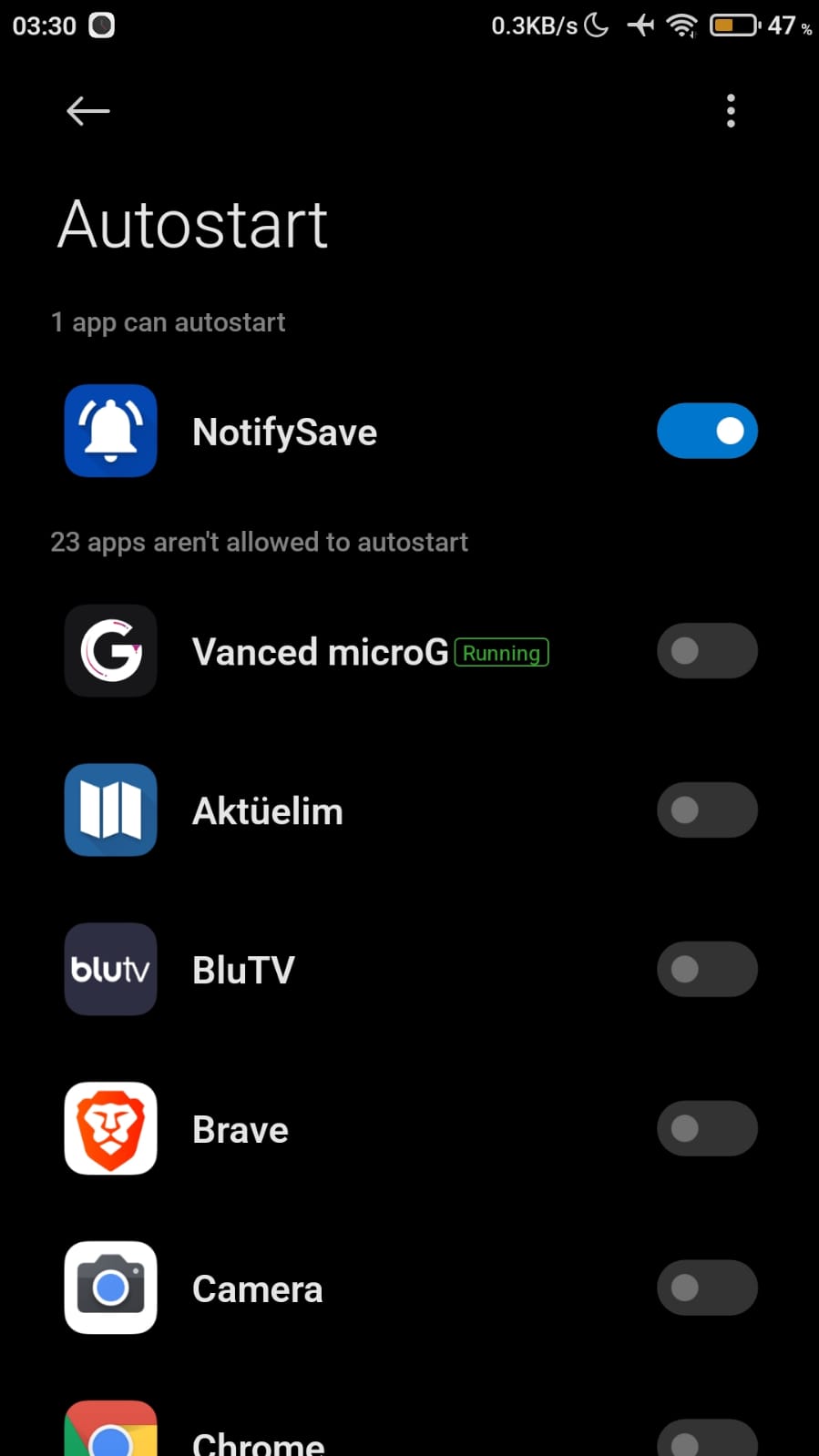
- Find NotifySave and make sure it is turned on.
Still having problems?
If you have encountered a different problem, please leave us feedback.
Was this article helpful?
Thanks for your feedback!
Sorry about that. Our team can help you directly.
Contact support