

Where Are the Stickers Added to WhatsApp?
Stickers you add to WhatsApp are in the sticker section of the WhatsApp chat keyboard.
How to find your stickers
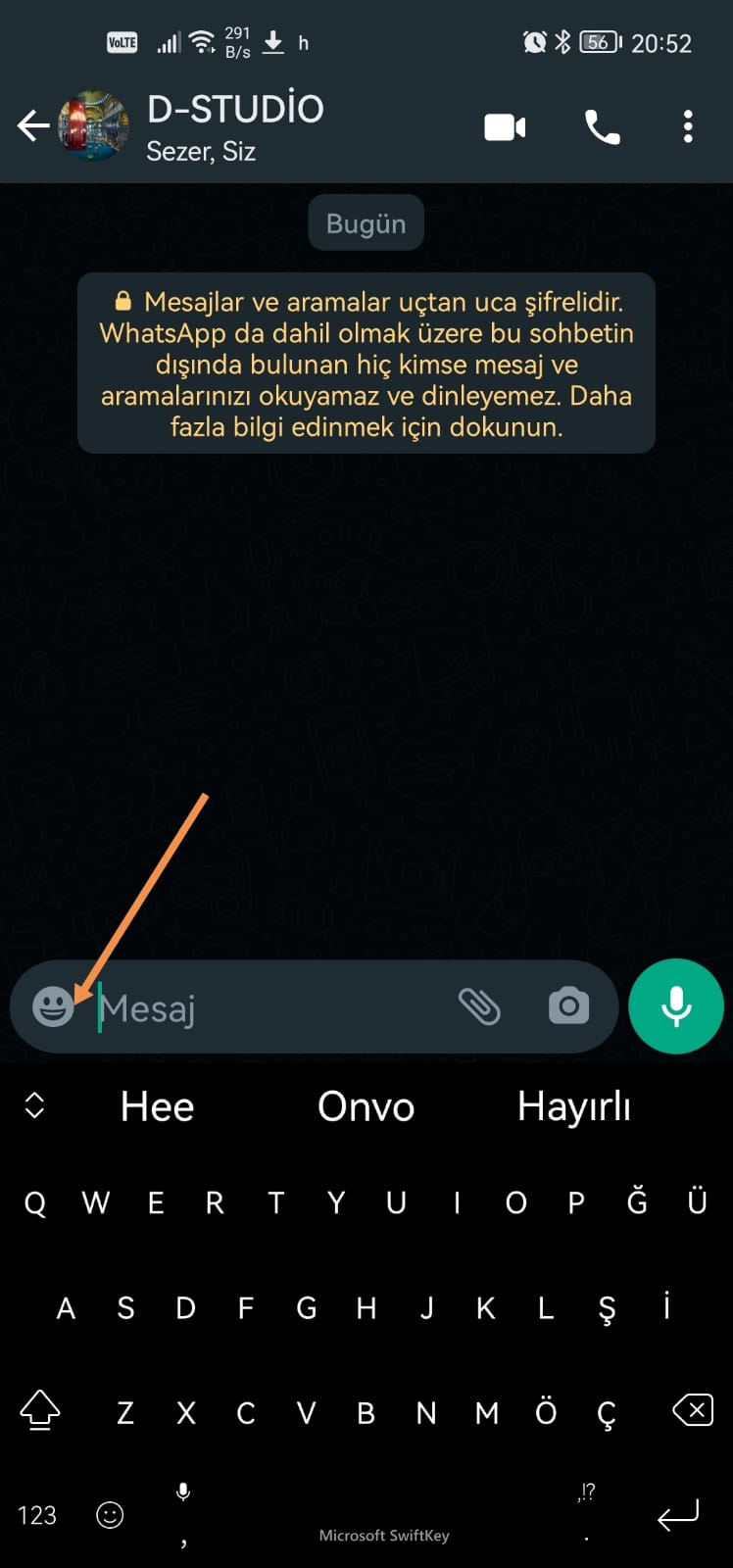
- Open WhatsApp and open a chat.
- Tap the emoji icon on the chat keyboard.
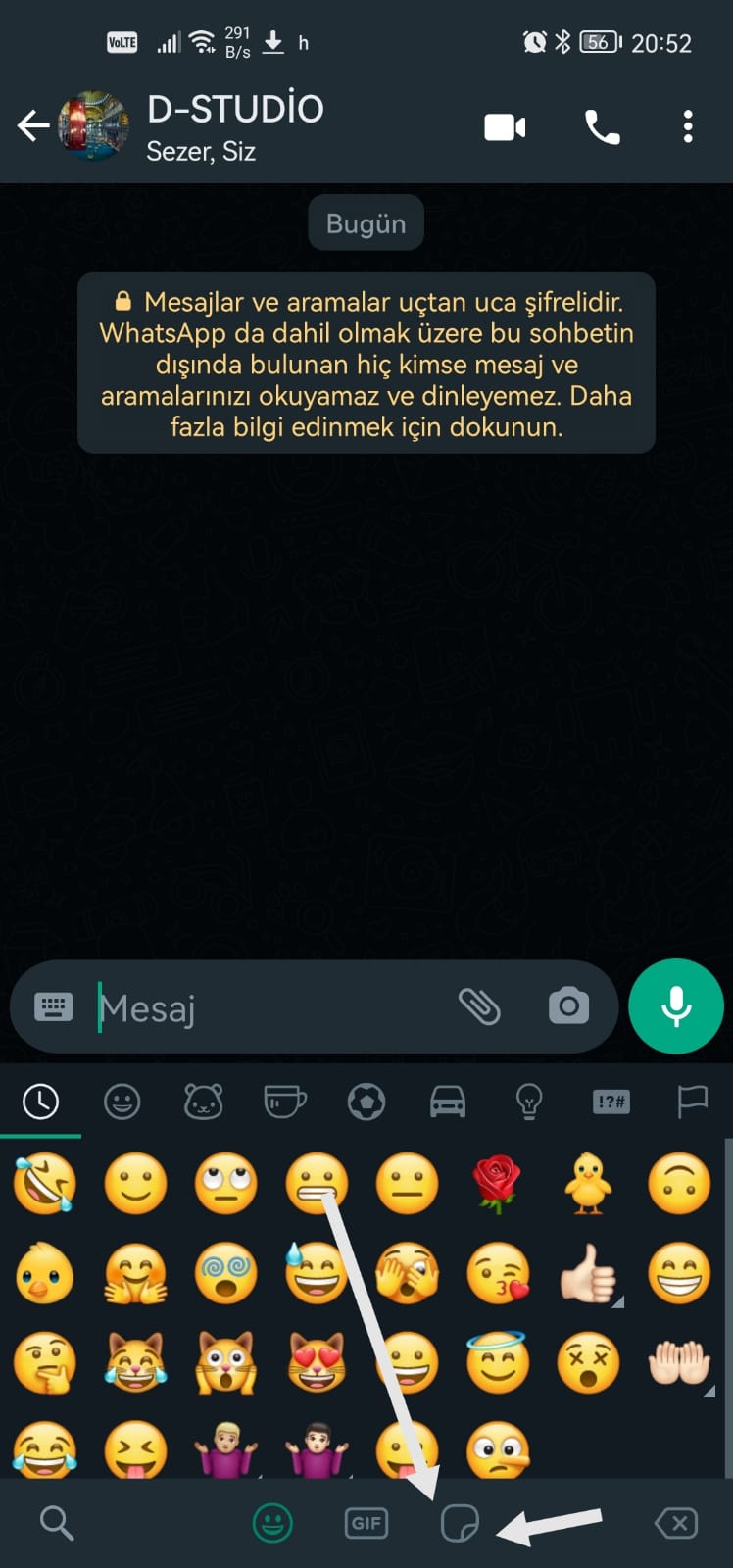
- Among the icons at the bottom center of the screen, tap the sticker icon on the far right.
Your sticker packs appear there, ready to make your chats more fun.

WhatsApp's layout can change slightly between app versions.
Was this article helpful?
Thanks for your feedback!
Sorry about that. Our team can help you directly.
Contact support