

How to Create a StickerTR Account
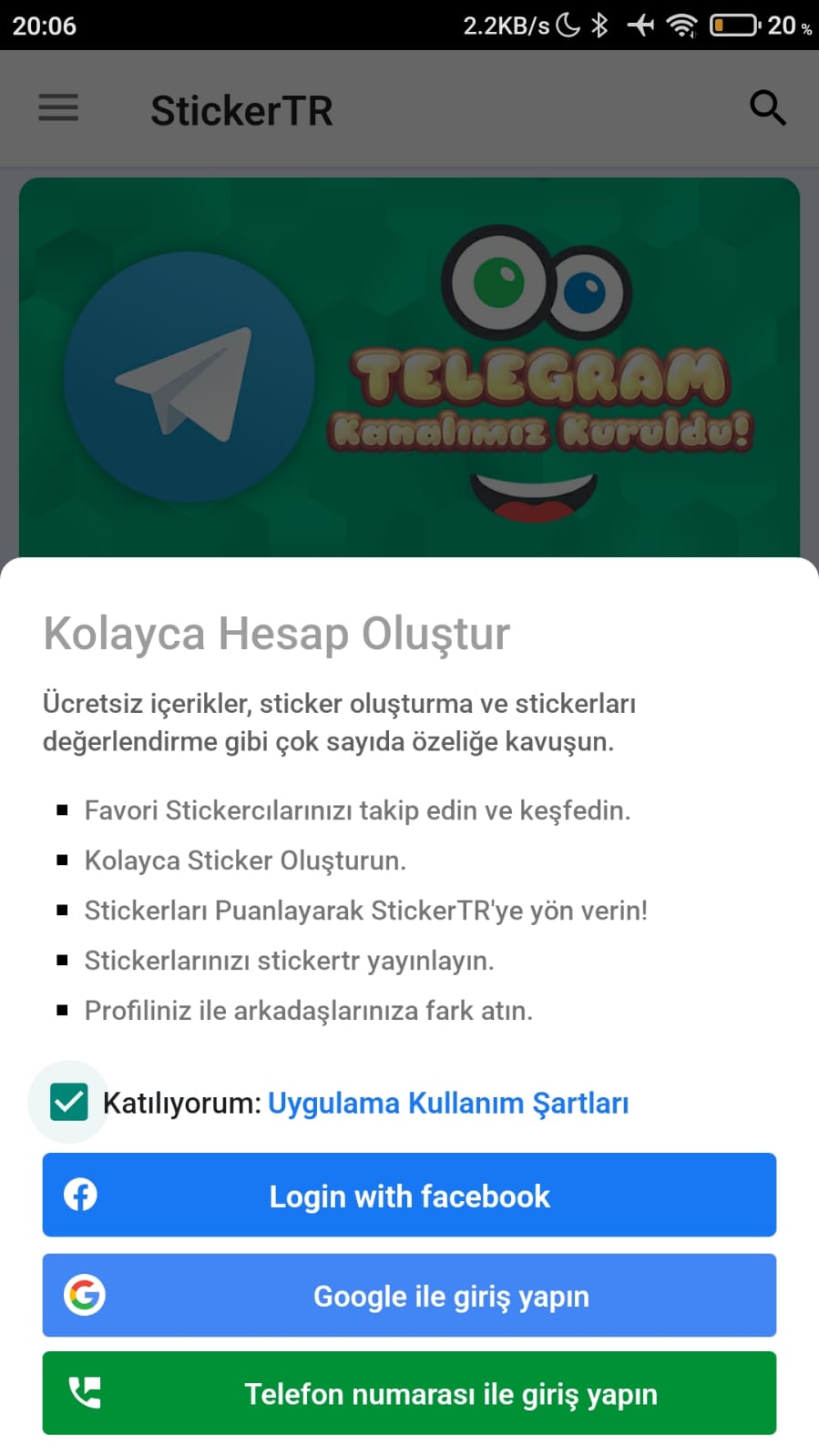
You can create a StickerTR account in three ways: with Facebook, Google or your phone number.
Steps
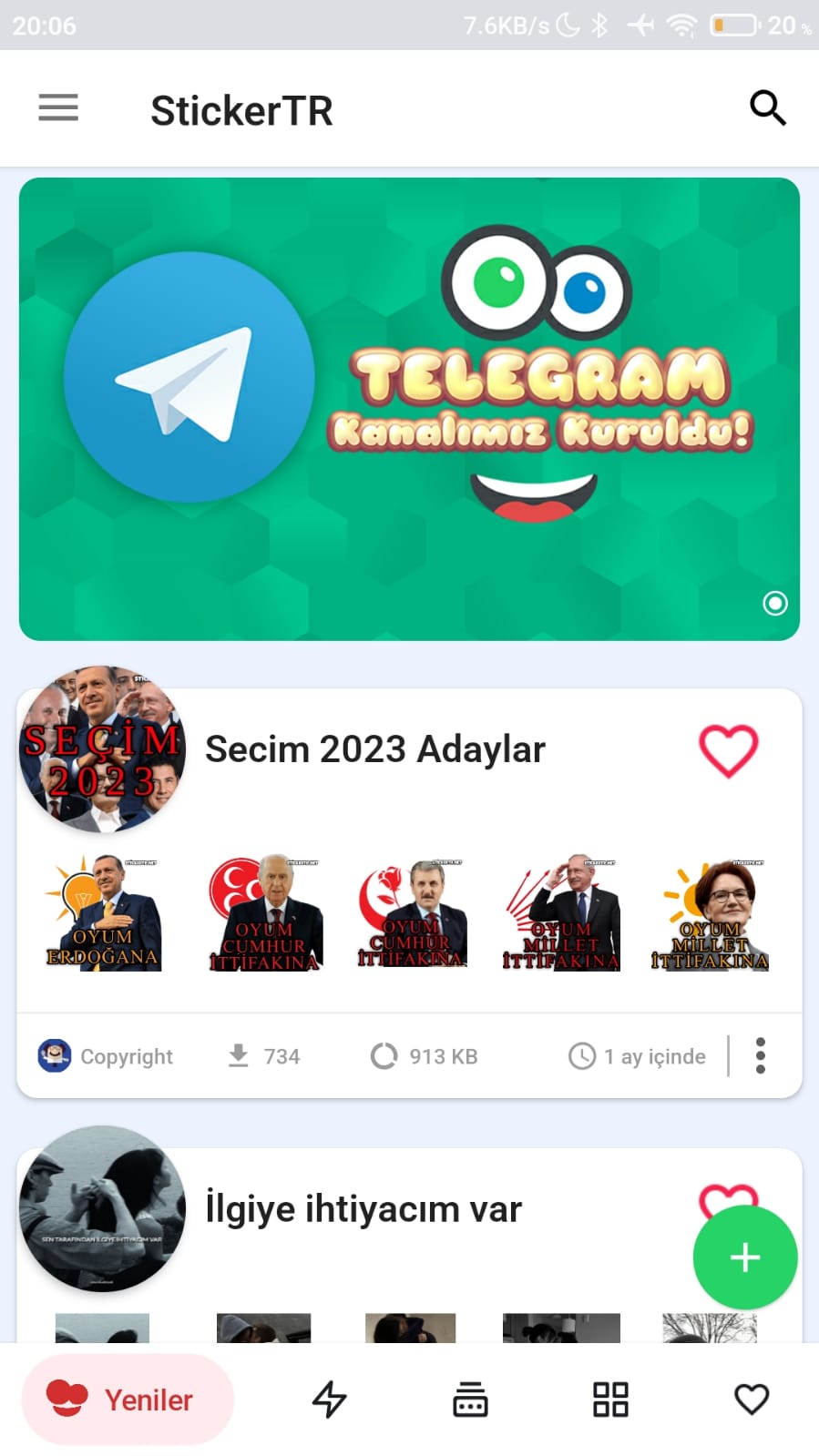
- Open the app.
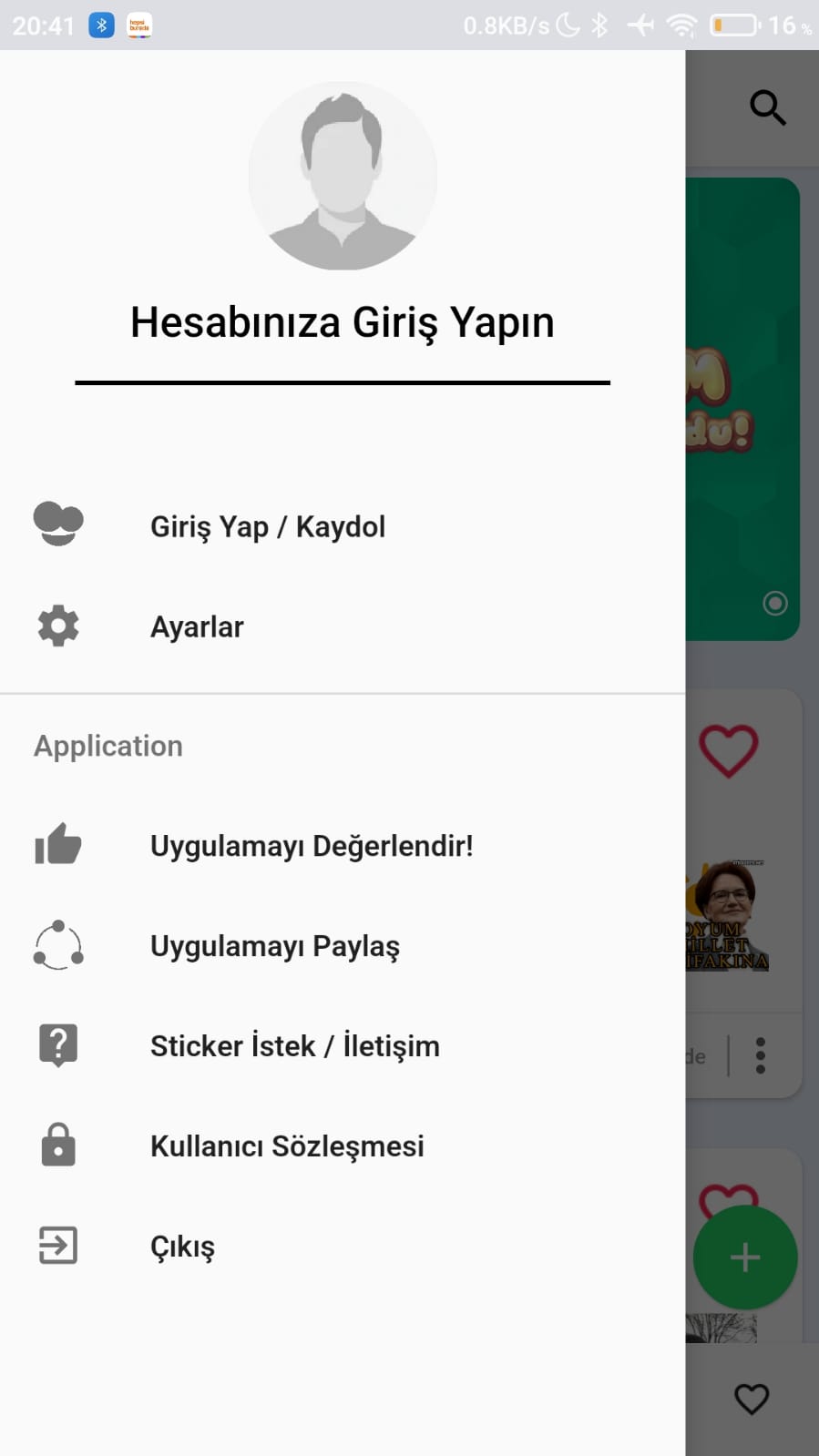
- Swipe from the left edge to open the side panel.
- Tap Sign In/Sign Up (Giriş Yap/Kaydol).
- Choose one of the options: Facebook, Google or phone number, and complete the registration.
- If you want, you can then view your profile from the left panel.

Was this article helpful?
Thanks for your feedback!
Sorry about that. Our team can help you directly.
Contact support