

How to Move Apps to an SD Card on Android 5.0 Lollipop
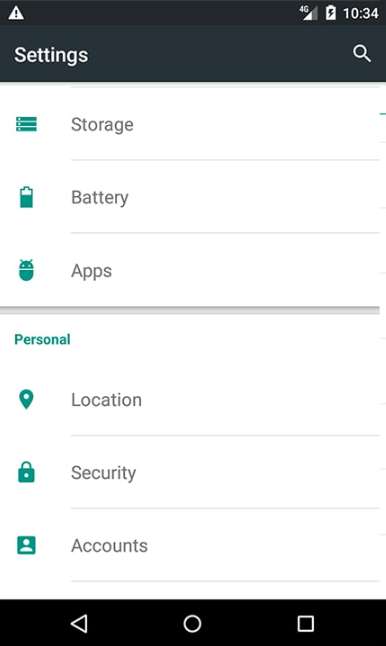
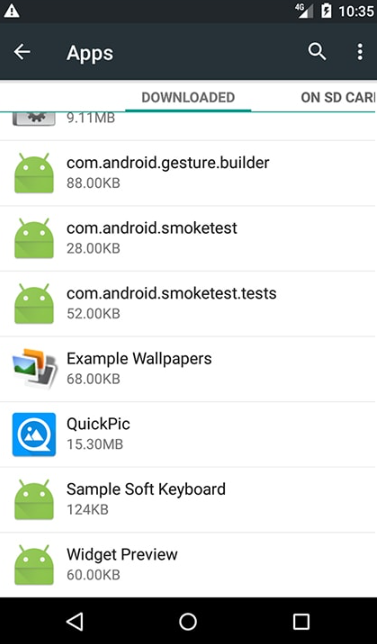
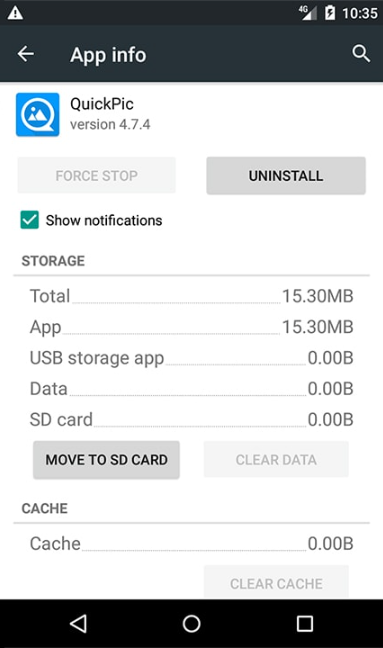
On Android 5.0 Lollipop, open the app in Settings > Apps and tap Move to SD card on its Storage tab.
Move an app to the SD card
- Open Settings and go to Apps.
- Find the app you want to move and tap it.
- On the Storage tab, tap Move to SD card.
If the Move to SD card button turns gray after you tap it, the process has started. Do not interrupt it.
Limitations on Android 5.0
- Memory card support in Android 5.0 is less comprehensive than in earlier Android versions, so fewer apps can be moved to the card.
- Only some parts of an app are moved to the memory card, not the whole app.
Was this article helpful?
Thanks for your feedback!
Sorry about that. Our team can help you directly.
Contact support