


Automatic File Move Settings: Battery and Auto-Start
For automatic file moves to work, the app must be able to run in the background. To allow this, turn off battery optimization for the app and turn on automatic startup. Without these settings, automatic transfers won't be possible.
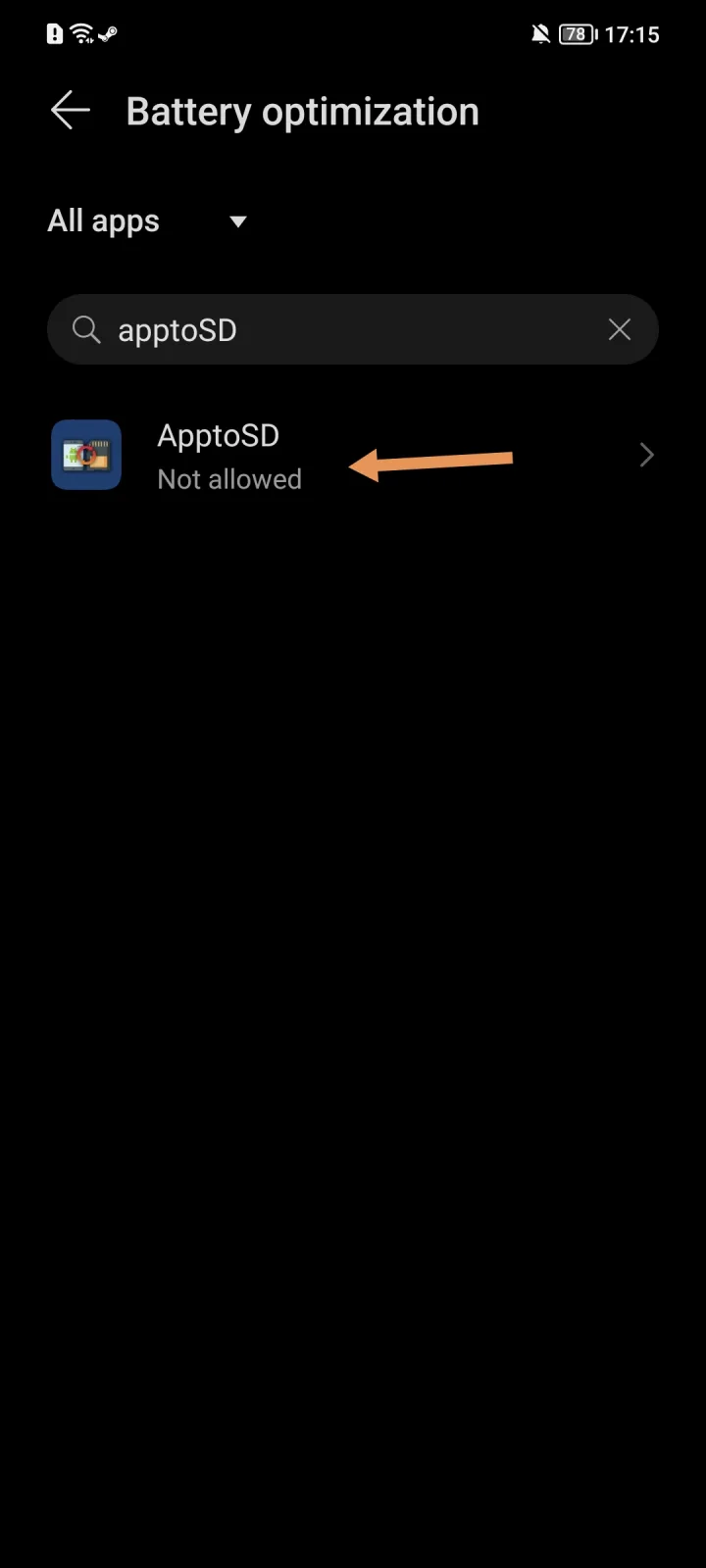
Step 1: Turn off battery optimization
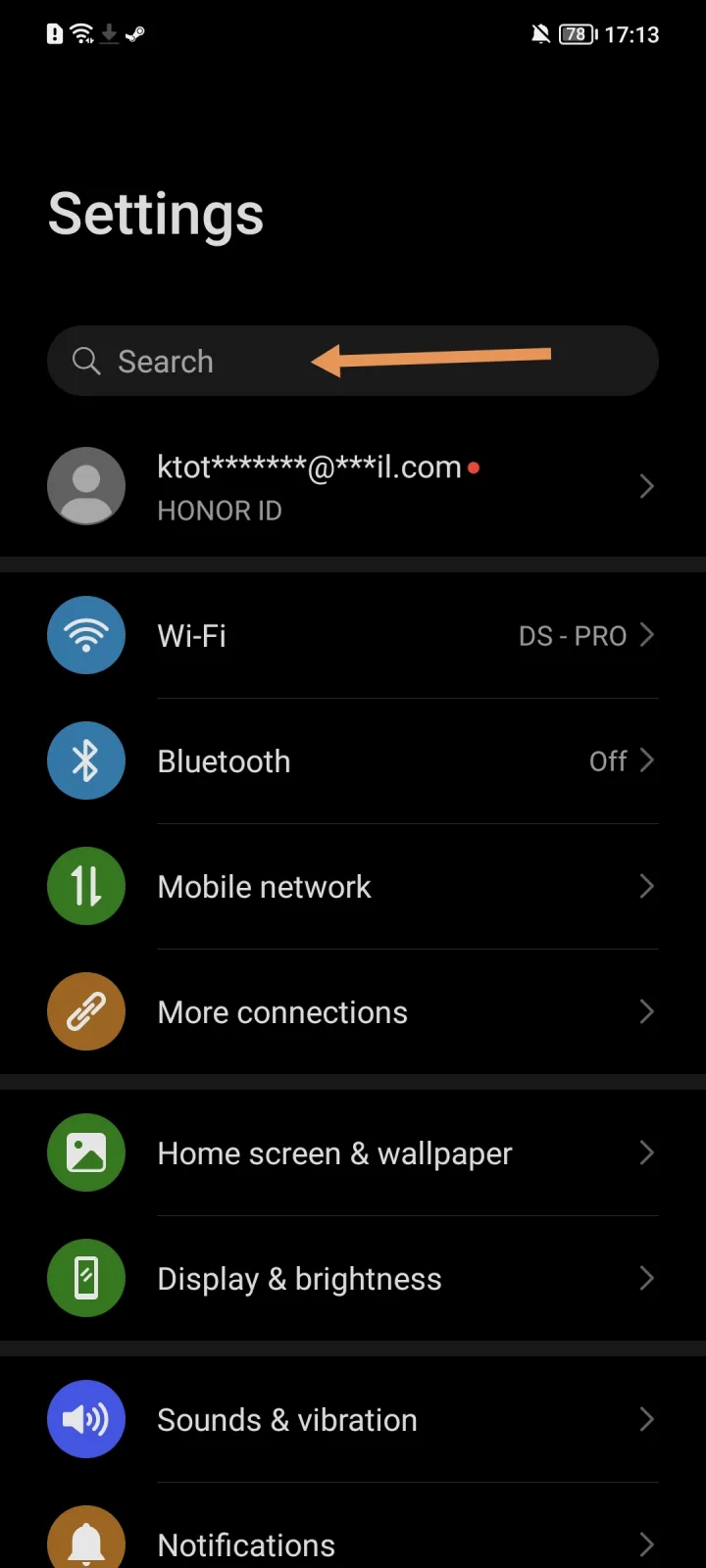
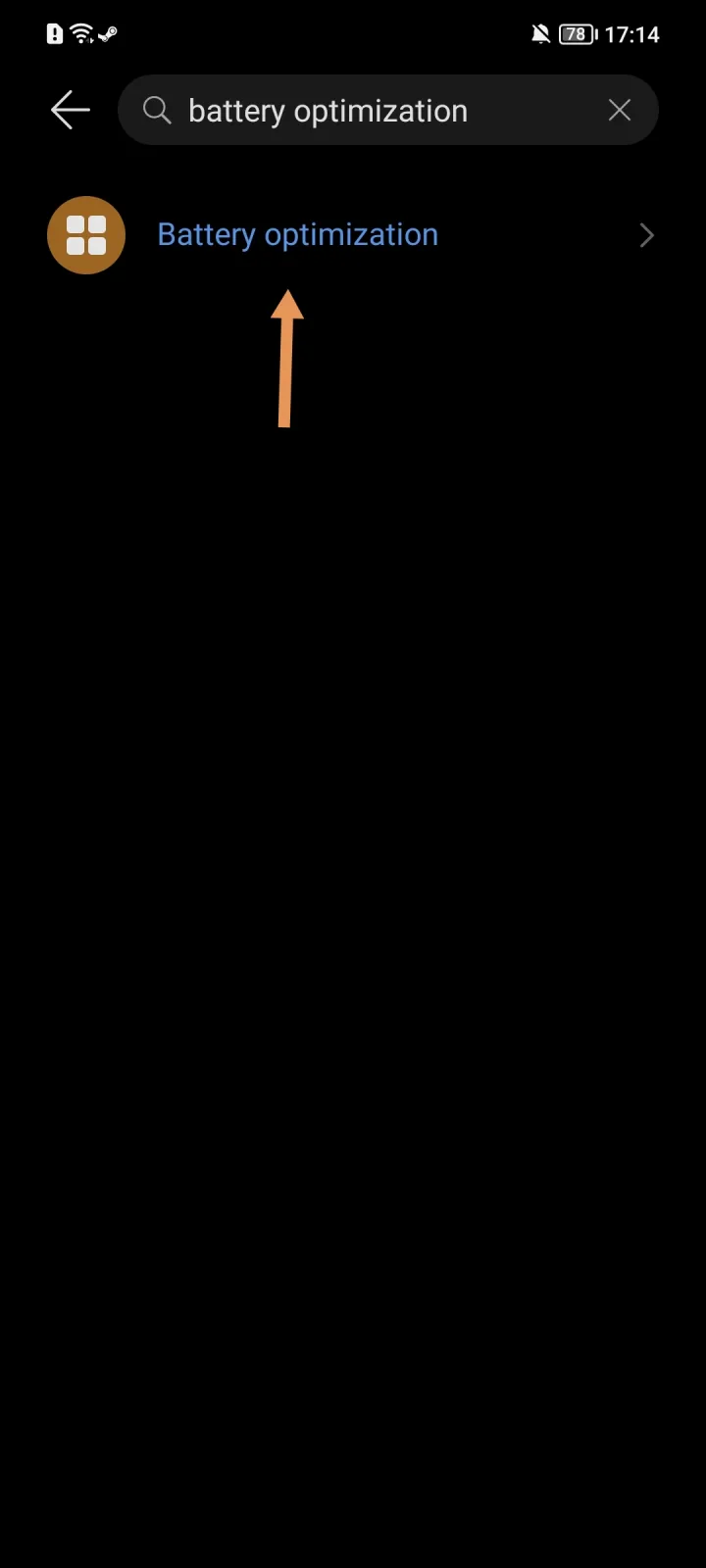
- Open Settings, type battery optimization in the search and tap the result.
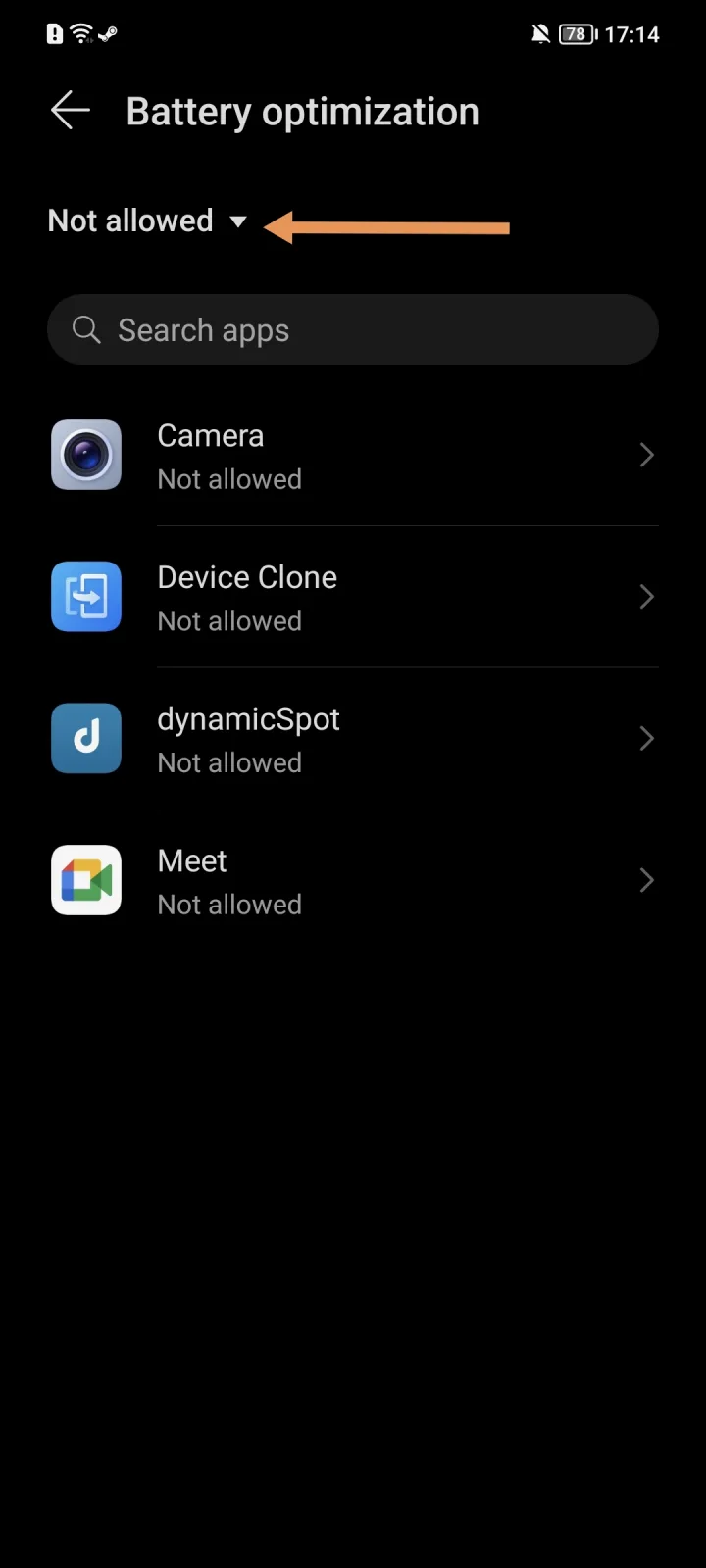
- In the Battery optimization section, select All apps.
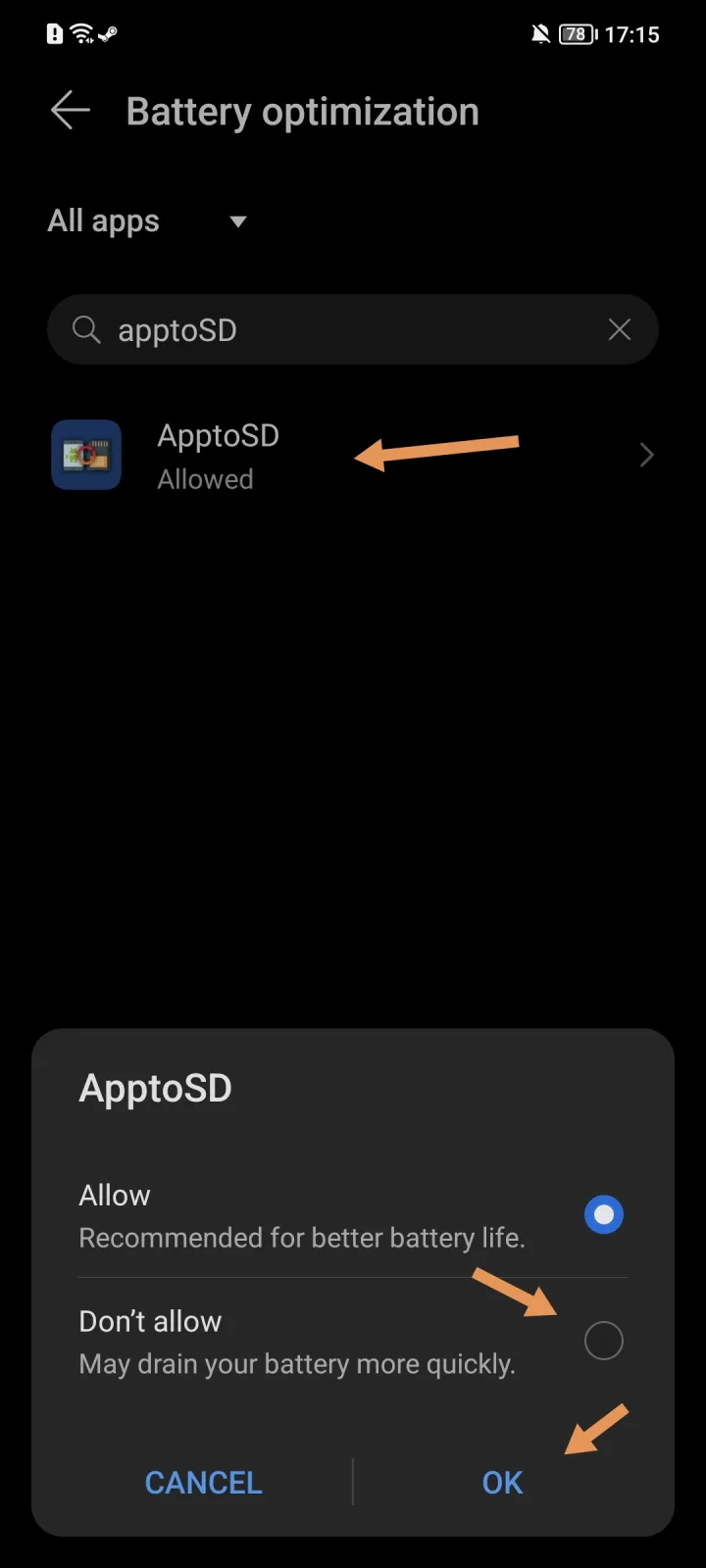
- Type NotifySave in the search and tap it.
- Select Don't allow.
Step 2: Turn on automatic startup
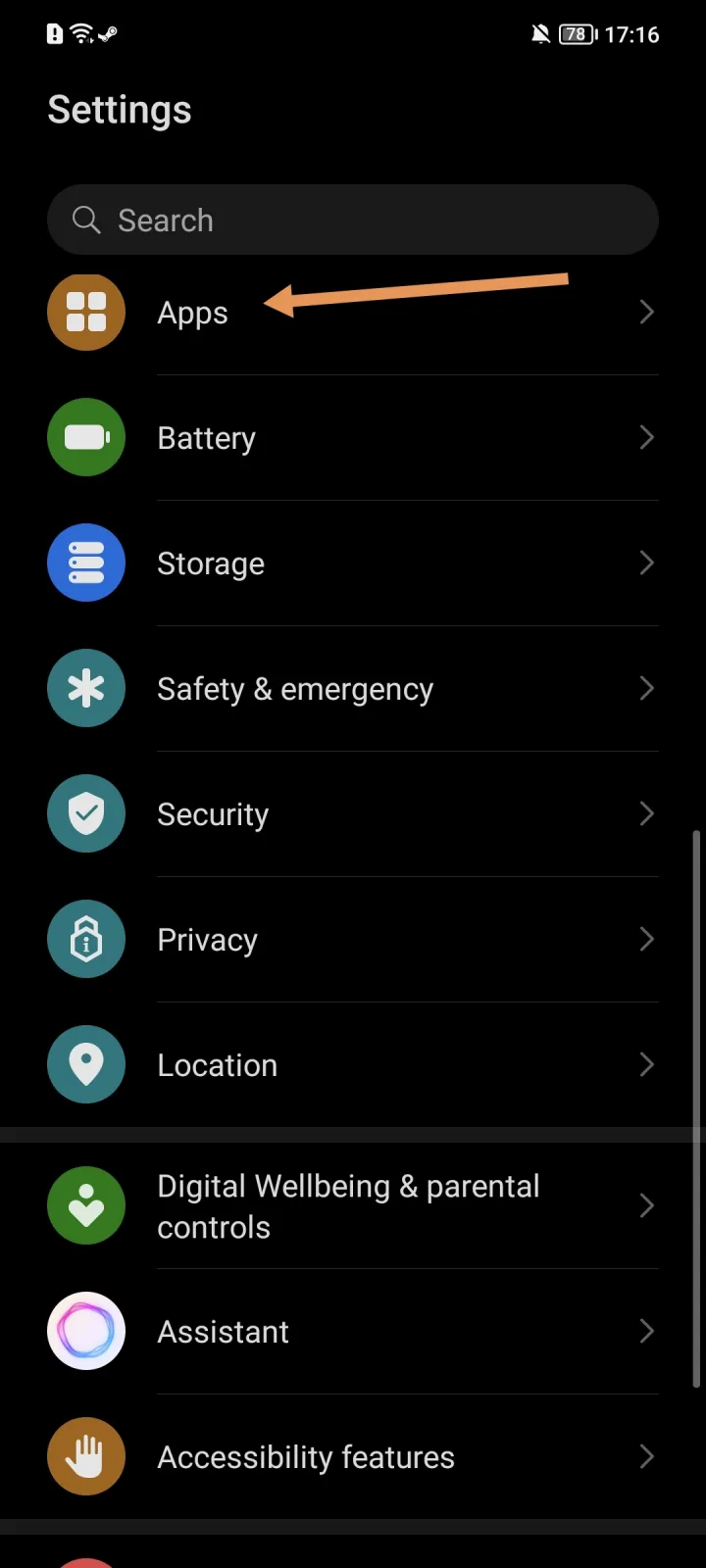
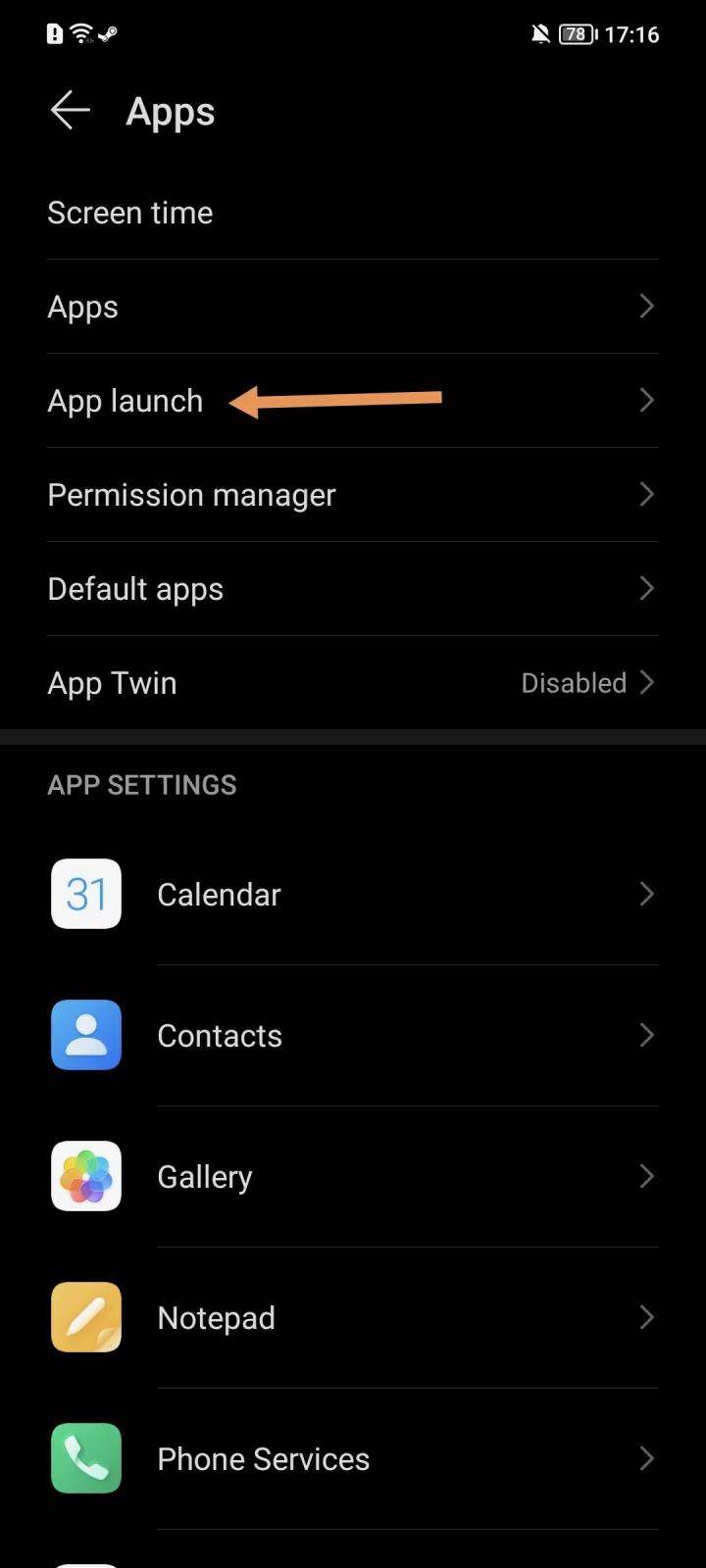
- Open Settings and go to Apps.
- Go to App launch.
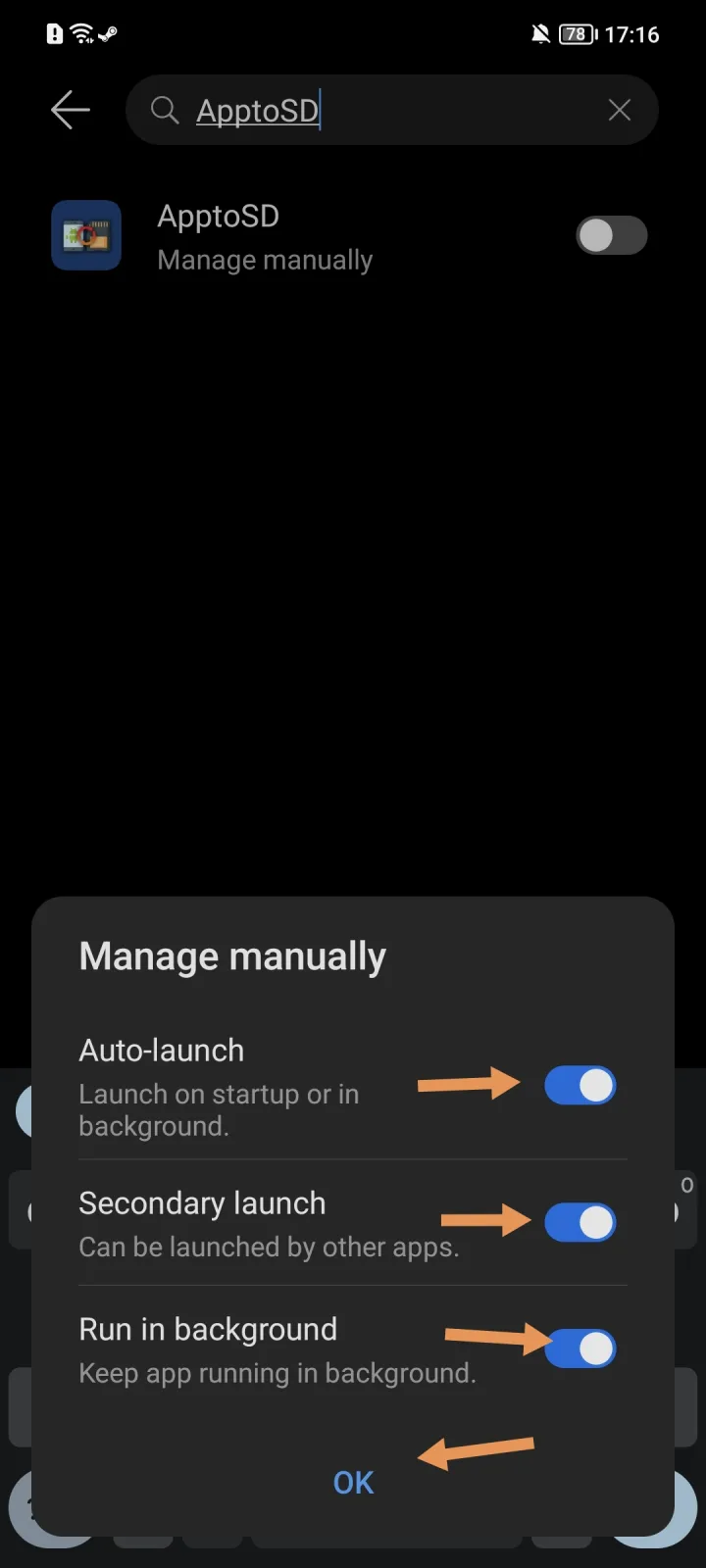
- Type NotifySave in the search field.
- Make sure all options are turned on.
Menu names can differ slightly by phone brand and Android version.
Was this article helpful?
Thanks for your feedback!
Sorry about that. Our team can help you directly.
Contact support