


Move Apps to an SD Card on Android 9.0 Pie
On Android 9.0 Pie you can move a supported app to your SD card from the app's Storage settings. Android 9.0 makes it very easy to move files between internal and external storage.
How to move an app to the SD card
- Open Settings and go to Apps & notifications > App info.
- Find and select the app you want to move.
- Tap Storage.
- If the app supports moving, a Change button appears. Tap it.
- Select the SD card in the window that opens.
- Tap Move in the confirmation window.
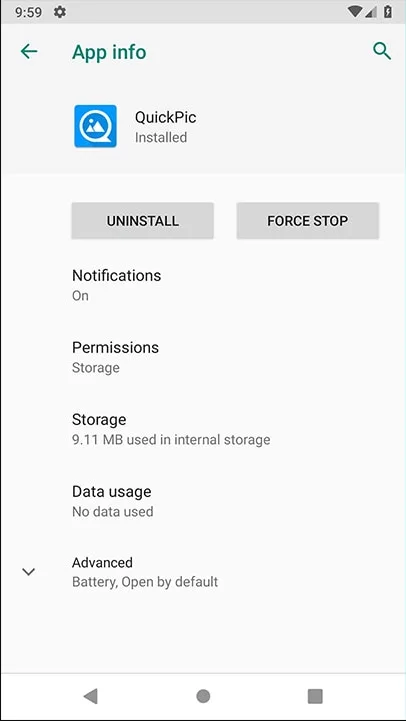
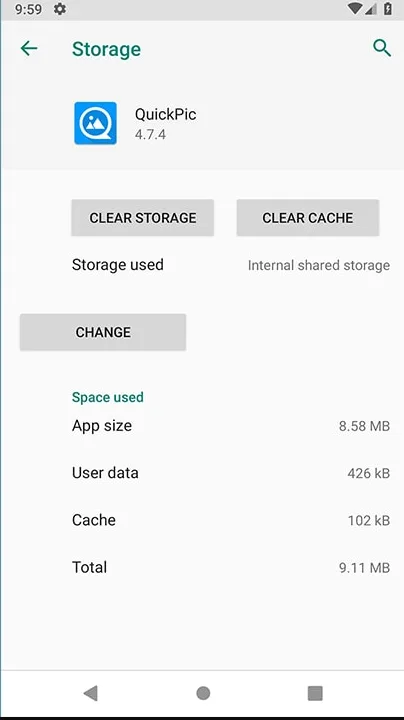
Not every app can be moved to a memory card. Moving is generally not possible for pre-loaded (pre-installed) apps. Menu names can differ slightly by phone brand.
How to move an app back to internal storage
To undo the move, follow the same steps and choose Internal storage instead of the SD card.
Was this article helpful?
Thanks for your feedback!
Sorry about that. Our team can help you directly.
Contact support