

How to Remove Ads in Aktüelim (Ad-Free Version)
To turn off ads in Aktüelim, buy the Ad-Free Version from the app's menu and pay through Google Play. After that, you won't see ads anymore.
Get the Ad-Free Version
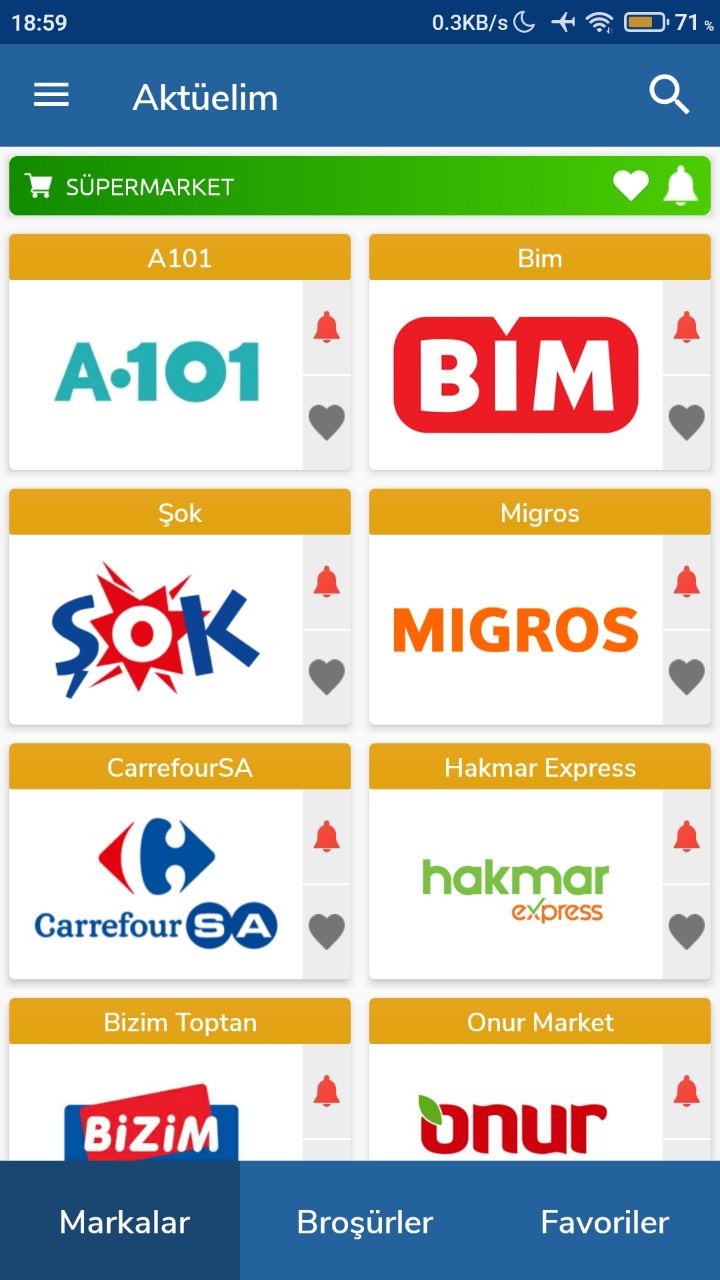
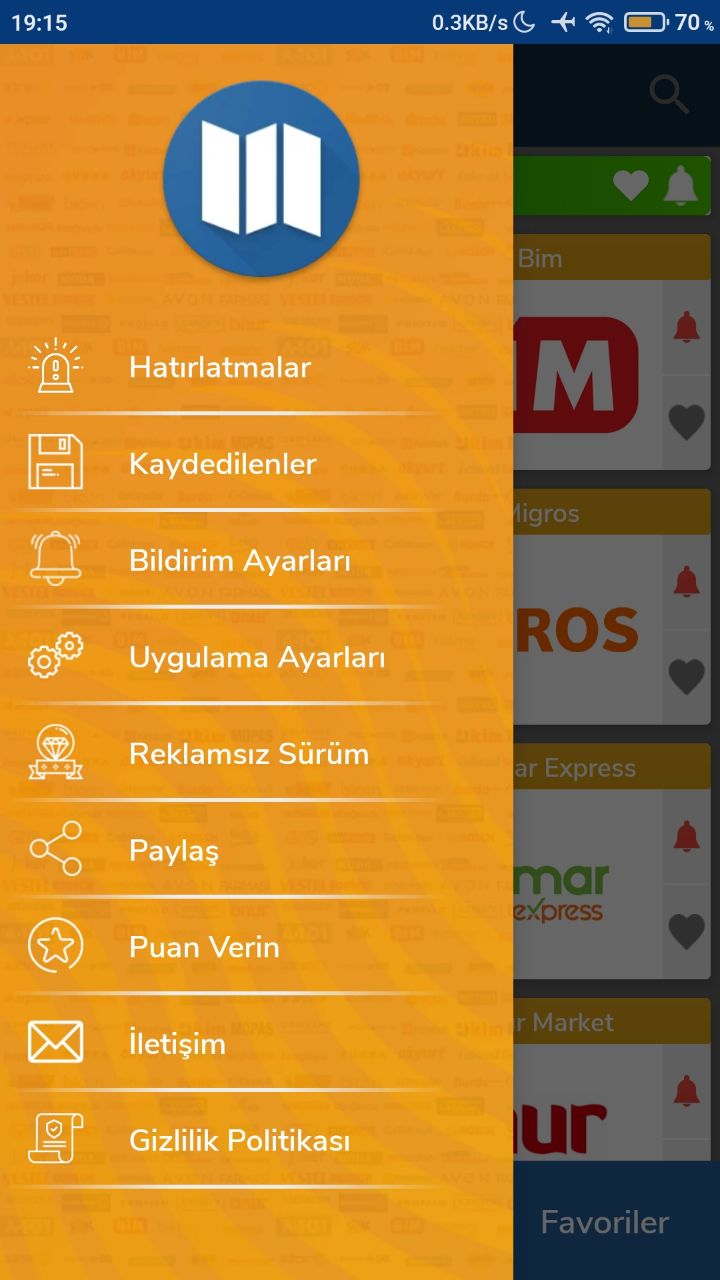
- Open the app and tap the menu button in the top-left corner.
- Go to Ad-Free Version (Reklamsız Sürüm).
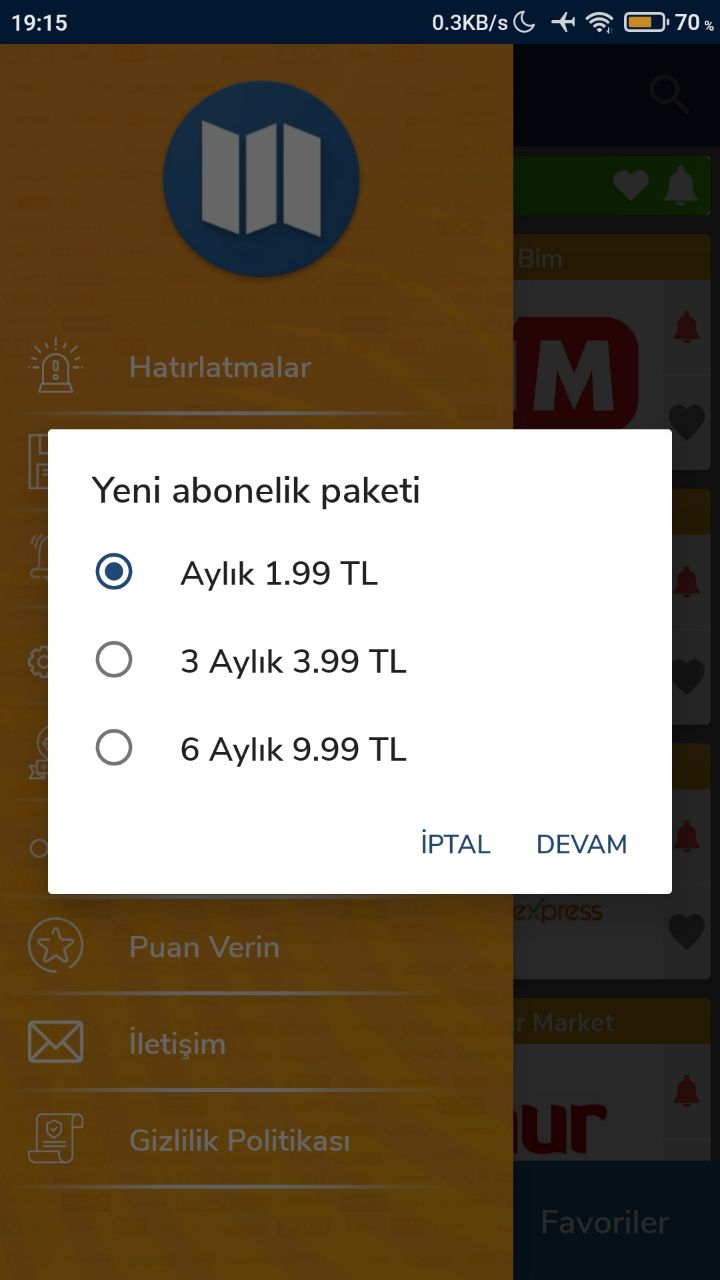
- Choose a plan: monthly, 3 months, 6 months or yearly.
- Tap Continue.
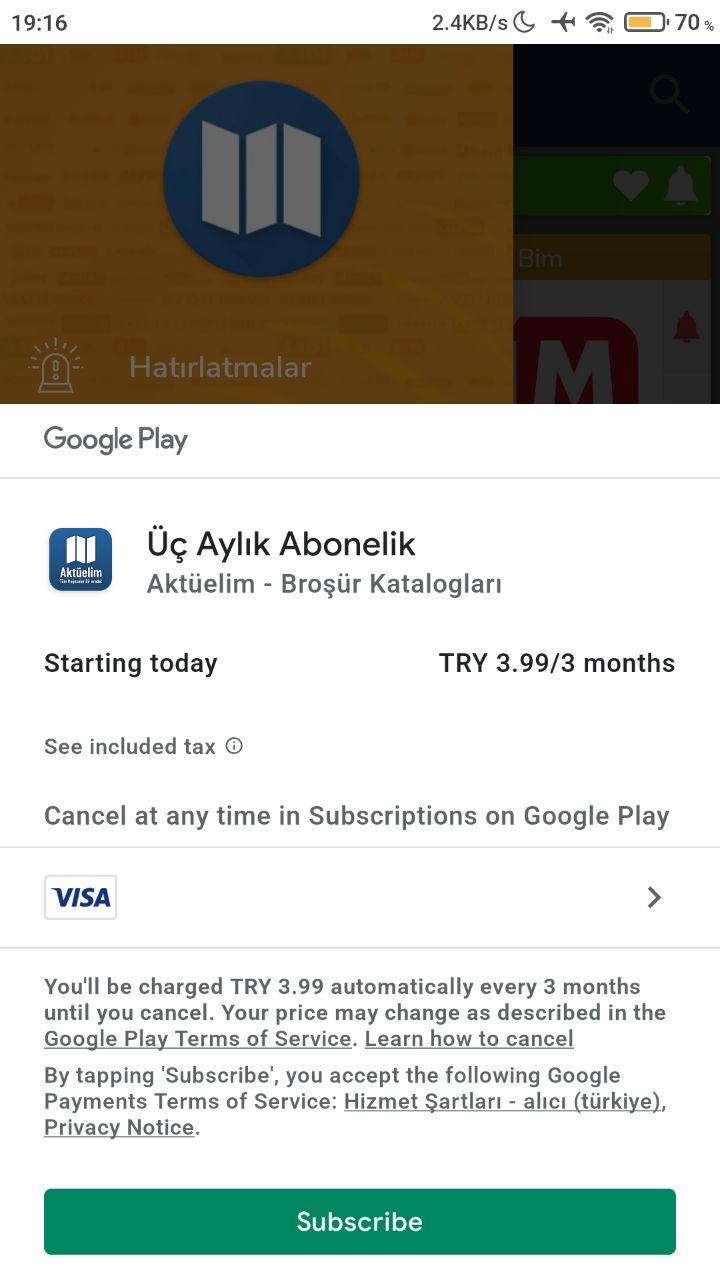
- Complete the payment with Google Play.
Once the payment is complete, ads no longer appear.
Ad-free plan options
- Monthly: 1.99 TL
- 3 months: 3.99 TL
- 6 months: 9.99 TL
- Yearly: 14.99 TL, a very affordable option
The price shown on the Google Play payment screen is the amount you are charged.
Was this article helpful?
Thanks for your feedback!
Sorry about that. Our team can help you directly.
Contact support