

How to Set a Brochure Alarm in Aktüelim
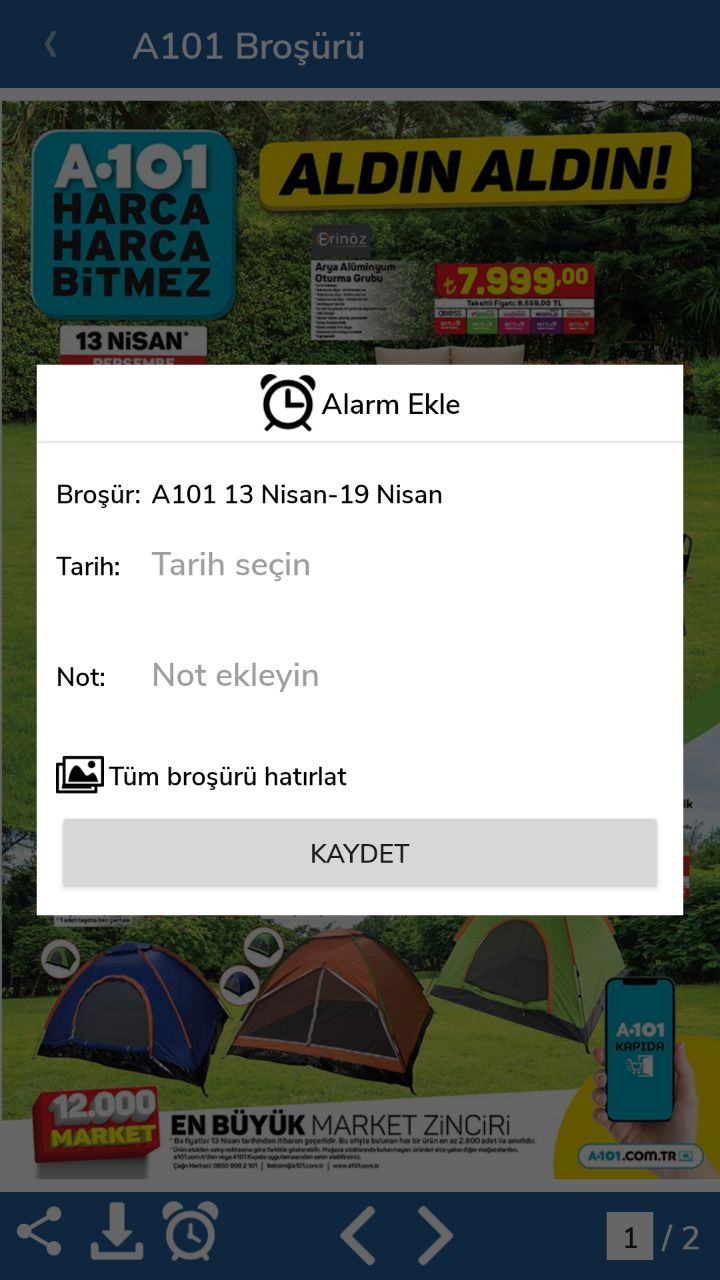
In Aktüelim you can set an alarm on a brochure so you get a notification at the date and time you choose, and don't miss the product you want to buy.
Set an alarm for a brochure
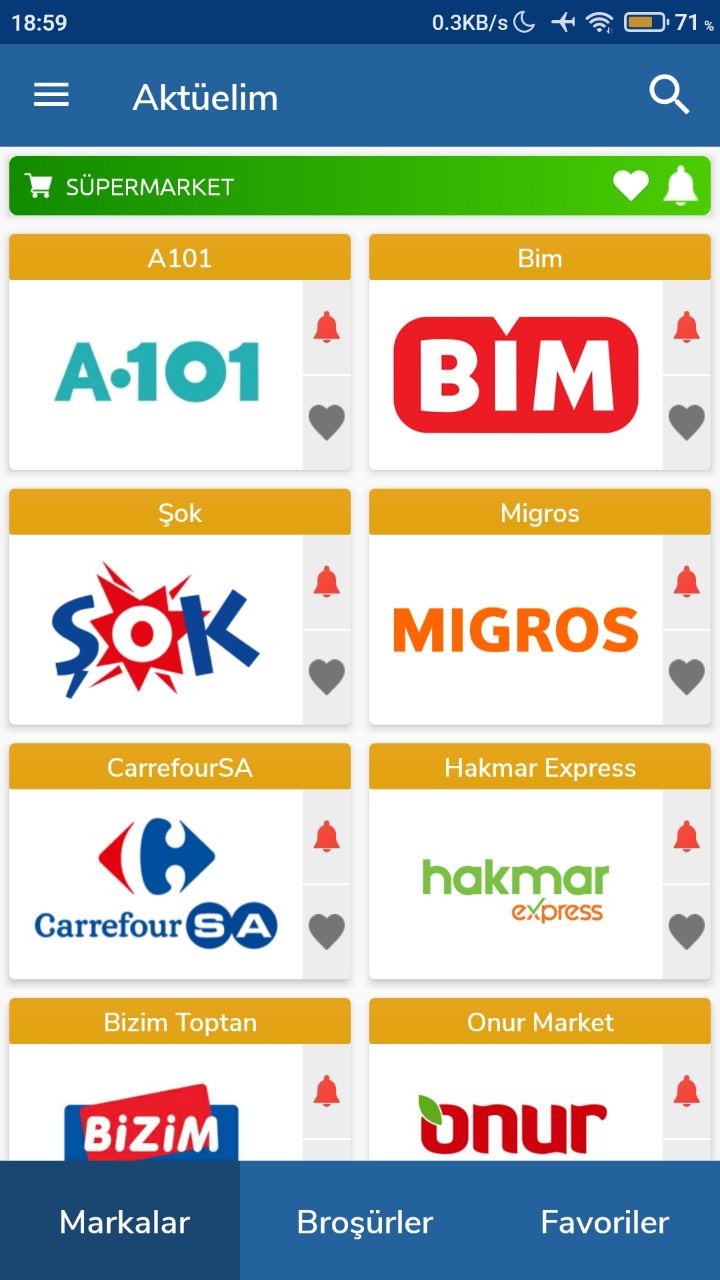
- Open the Aktüelim app.
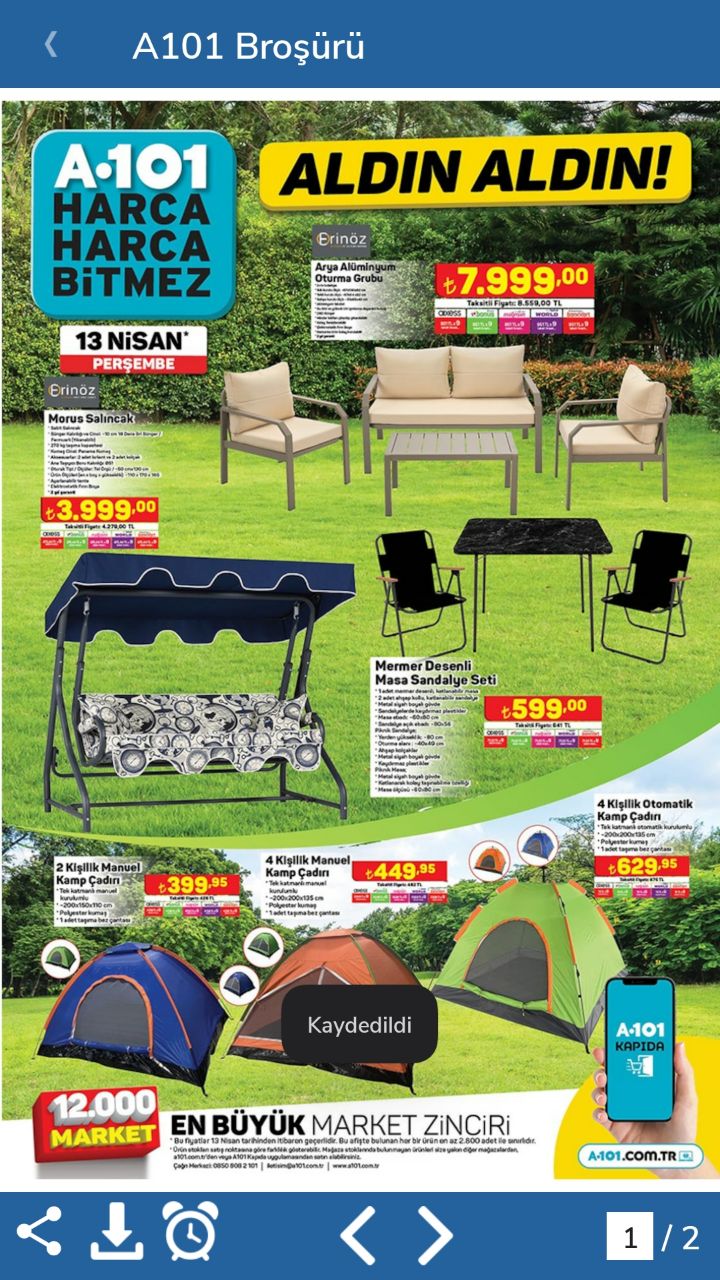
- Open the brochure you want to set an alarm for.
- Tap the alarm button in the bottom-left corner.
- Choose the date and time you want to receive the notification.
Was this article helpful?
Thanks for your feedback!
Sorry about that. Our team can help you directly.
Contact support