

Fix NotifySave Saving the Same Notification Twice
If NotifySave saves the same notification twice, turn on Smart Filter in the app settings. After that, each notification appears only once.
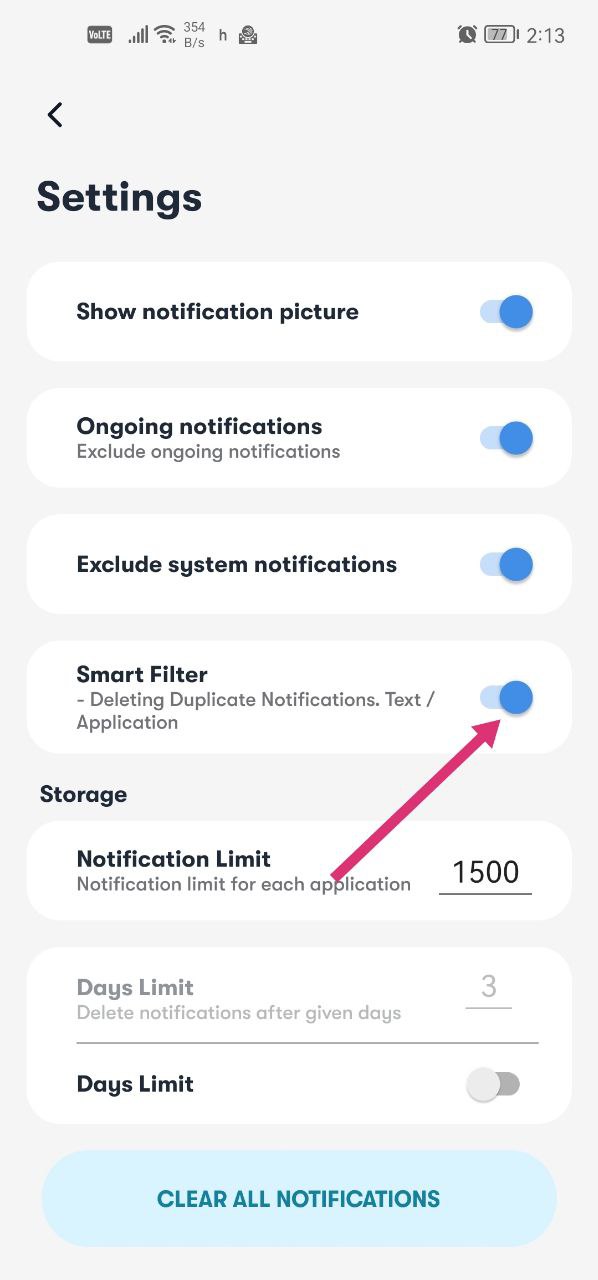
Turn on Smart Filter
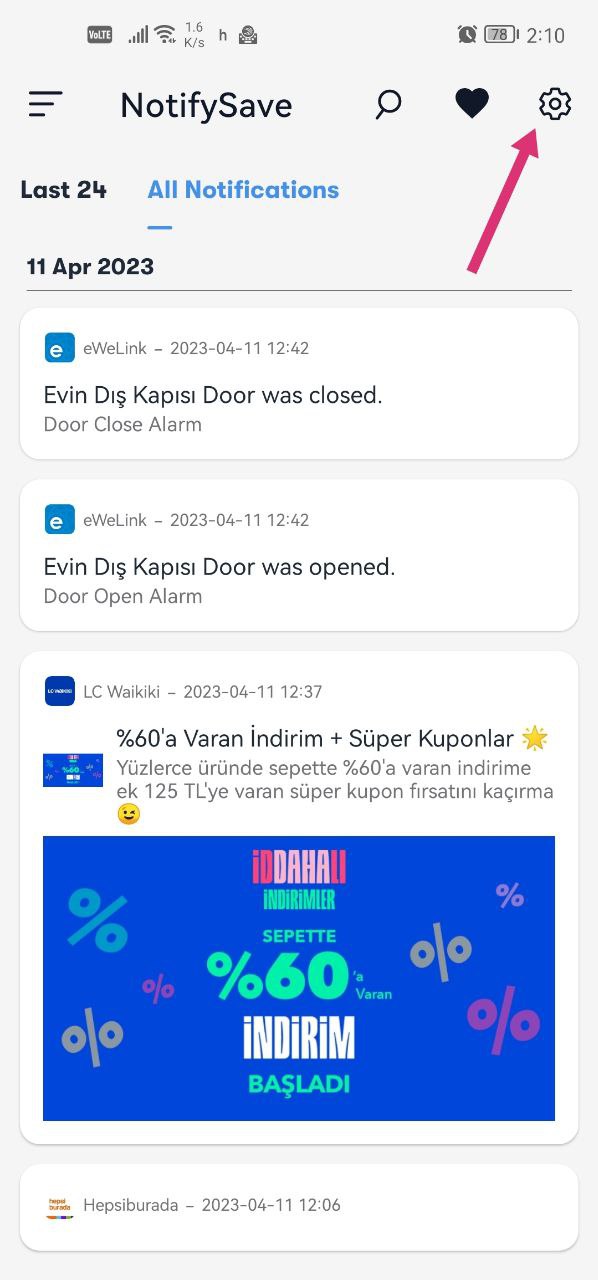
- Open NotifySave.
- Go to the settings.
- Activate the Smart Filter option.
Duplicate notifications will no longer be saved.
Still having problems?
If you have encountered a different problem, please leave us feedback.
Was this article helpful?
Thanks for your feedback!
Sorry about that. Our team can help you directly.
Contact support