

Turn Off Battery Optimization for NotifySave on Huawei
To keep NotifySave working properly in the background on a Huawei phone, turn off battery optimization for the app.
Note: This article applies to Huawei devices. If this setting is not changed, the app cannot run properly in the background, so we recommend doing it.
How to turn off battery optimization
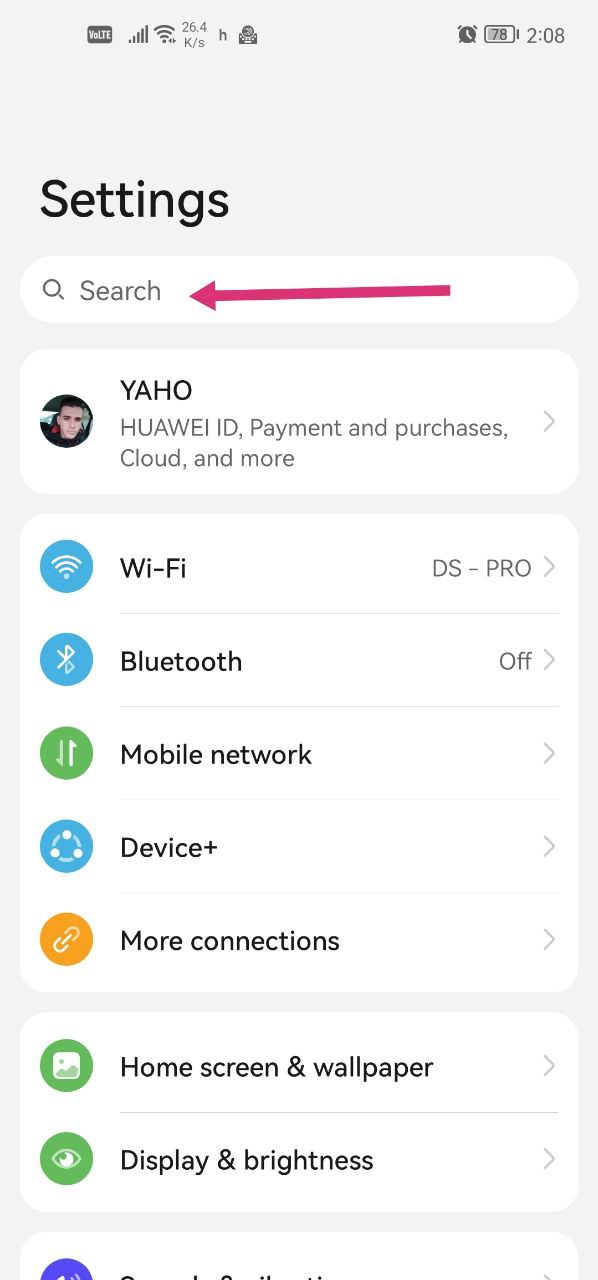
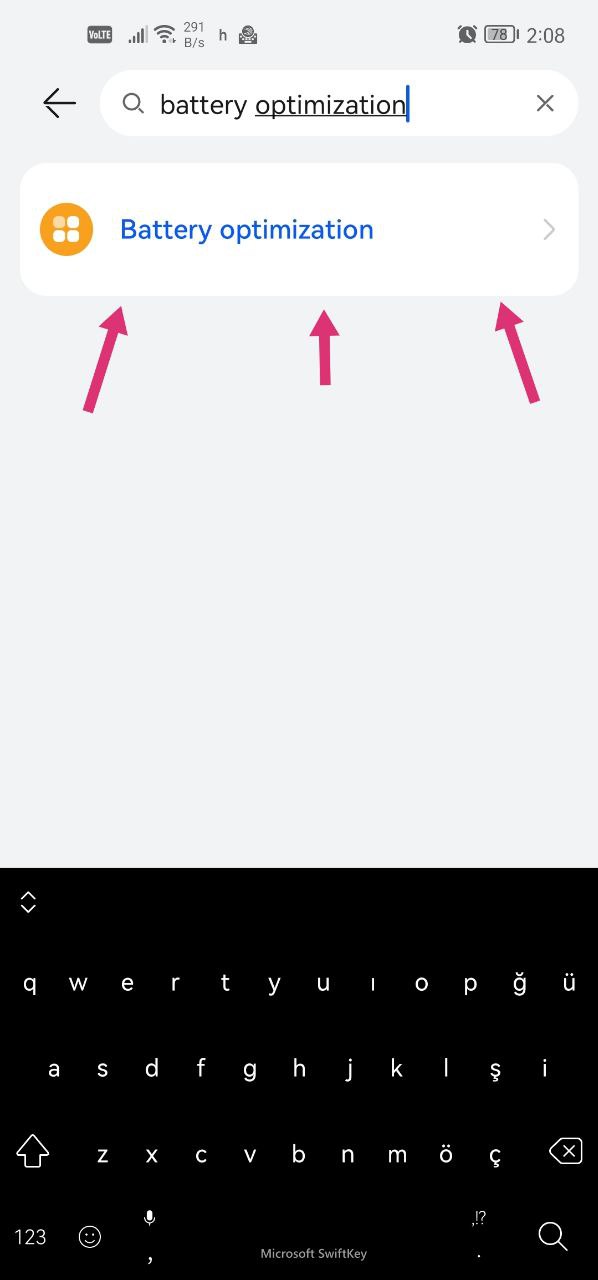
- Open Settings, type battery optimization in the search box and tap the result.
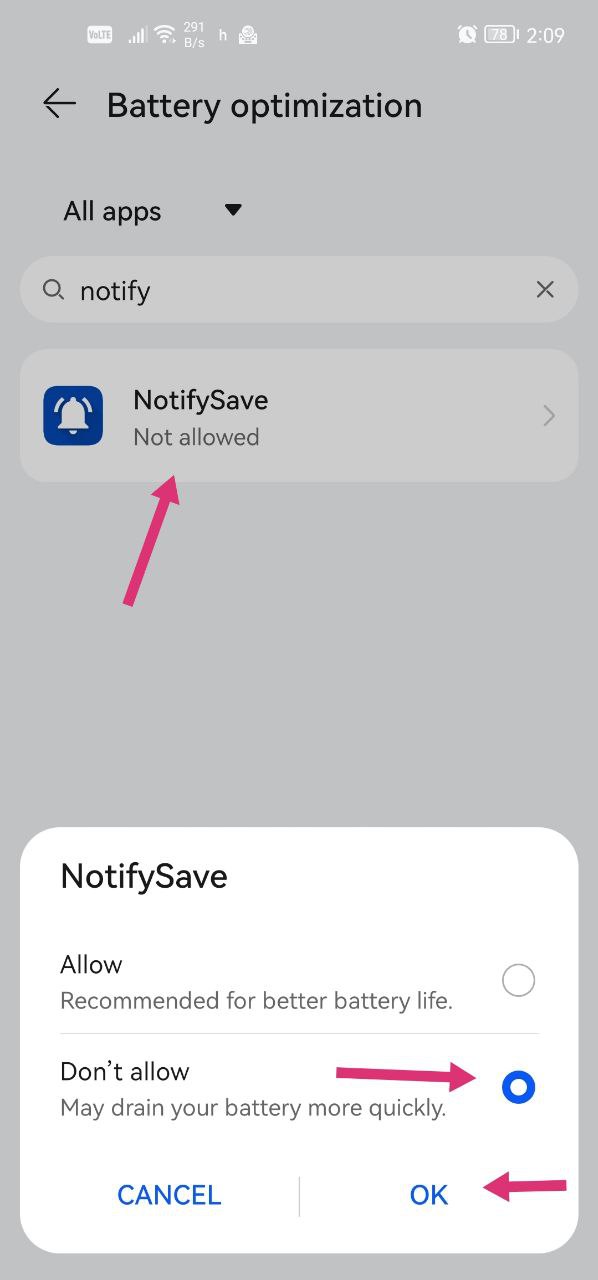
- In the battery optimization section, select All apps.
- Type NotifySave in the search field and tap it.
- Choose Don't allow to turn optimization off for the app.
Still having problems?
If you encounter a different problem, please leave us feedback.
Was this article helpful?
Thanks for your feedback!
Sorry about that. Our team can help you directly.
Contact support