

How to Turn On Fingerprint Lock in NotifySave
You can lock NotifySave with your fingerprint by turning on the fingerprint option in the app's settings.
This setting is only available on phones with a fingerprint sensor.
Turn on fingerprint lock
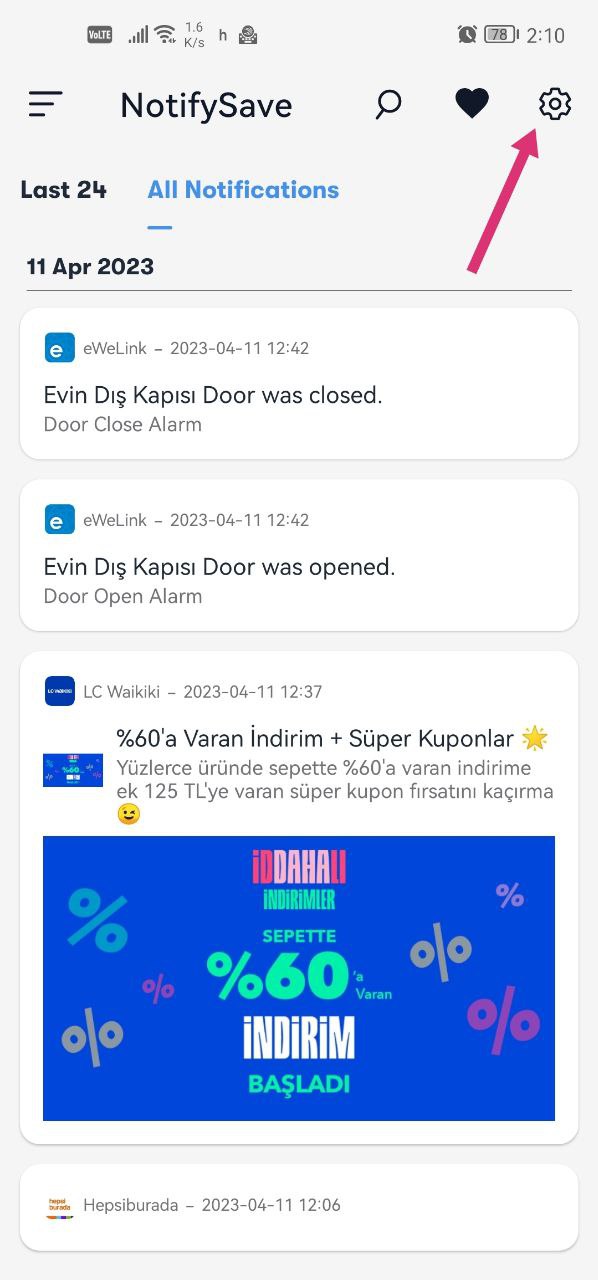
- Open NotifySave and go to the settings section.
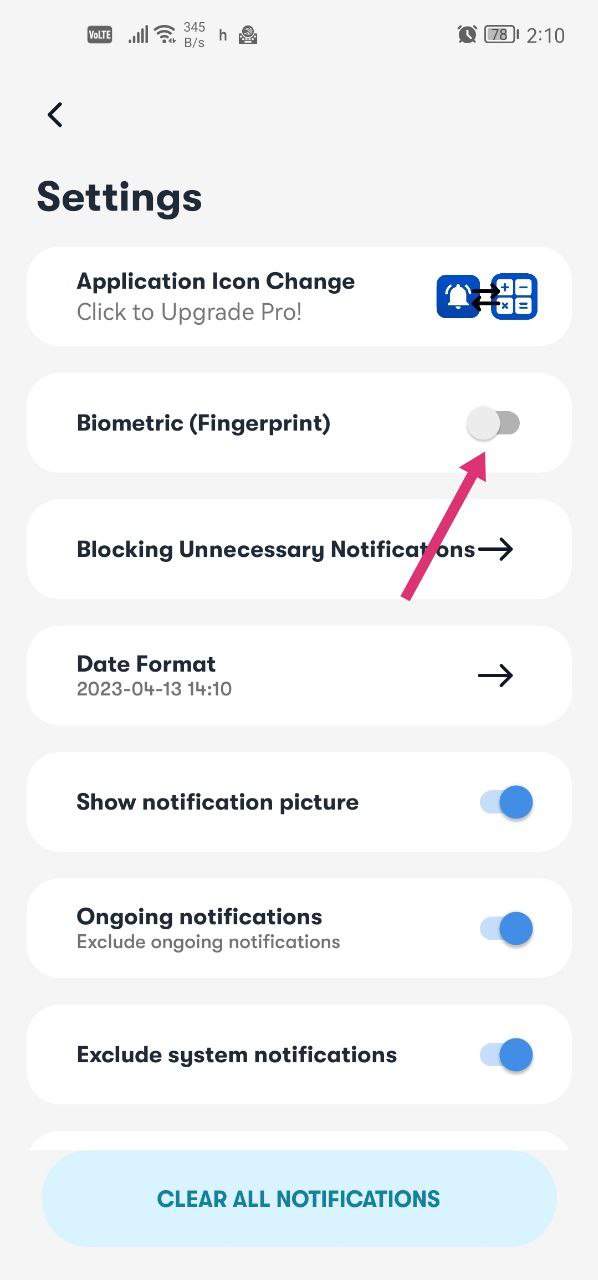
- Turn on the fingerprint option.
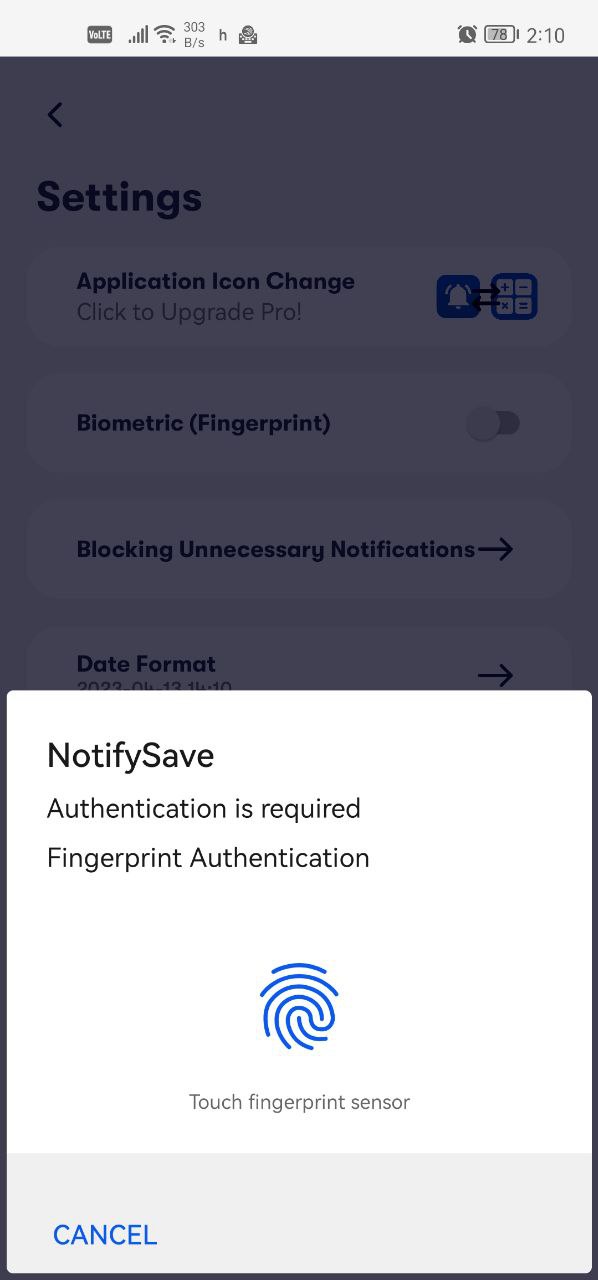
- Touch the sensor with your finger. That's it.
Still having trouble?
If you run into a different problem, please leave us feedback.
Was this article helpful?
Thanks for your feedback!
Sorry about that. Our team can help you directly.
Contact support