

Turn Off Battery Optimization for NotifySave on Xiaomi
To let NotifySave run properly in the background on a Xiaomi phone, set its battery optimization to No restrictions.
This article applies to Xiaomi devices only. If this setting is not changed, the app cannot run properly in the background, so we recommend doing it.
Steps
- Open Settings, tap Apps, then tap Manage apps.
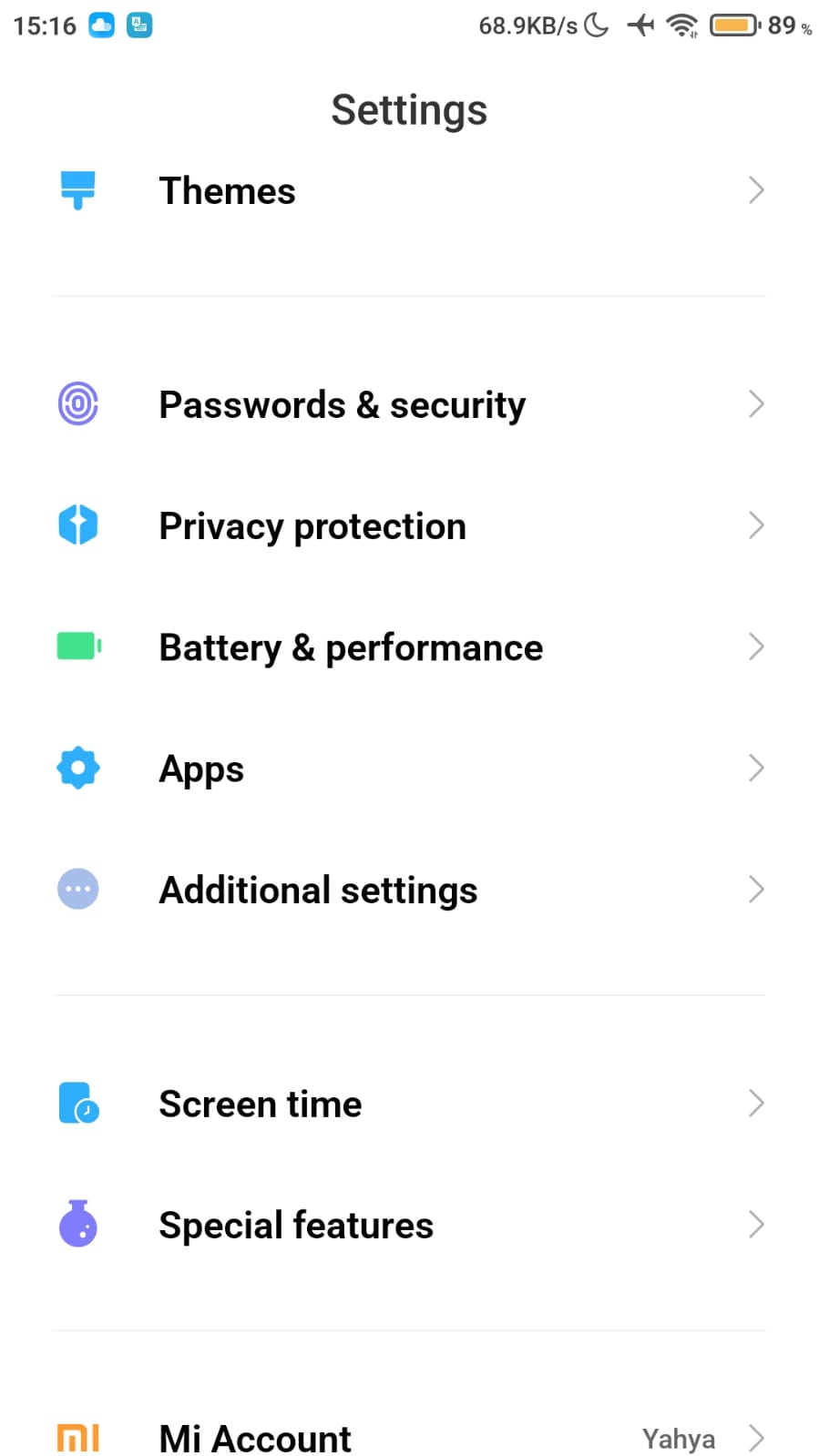
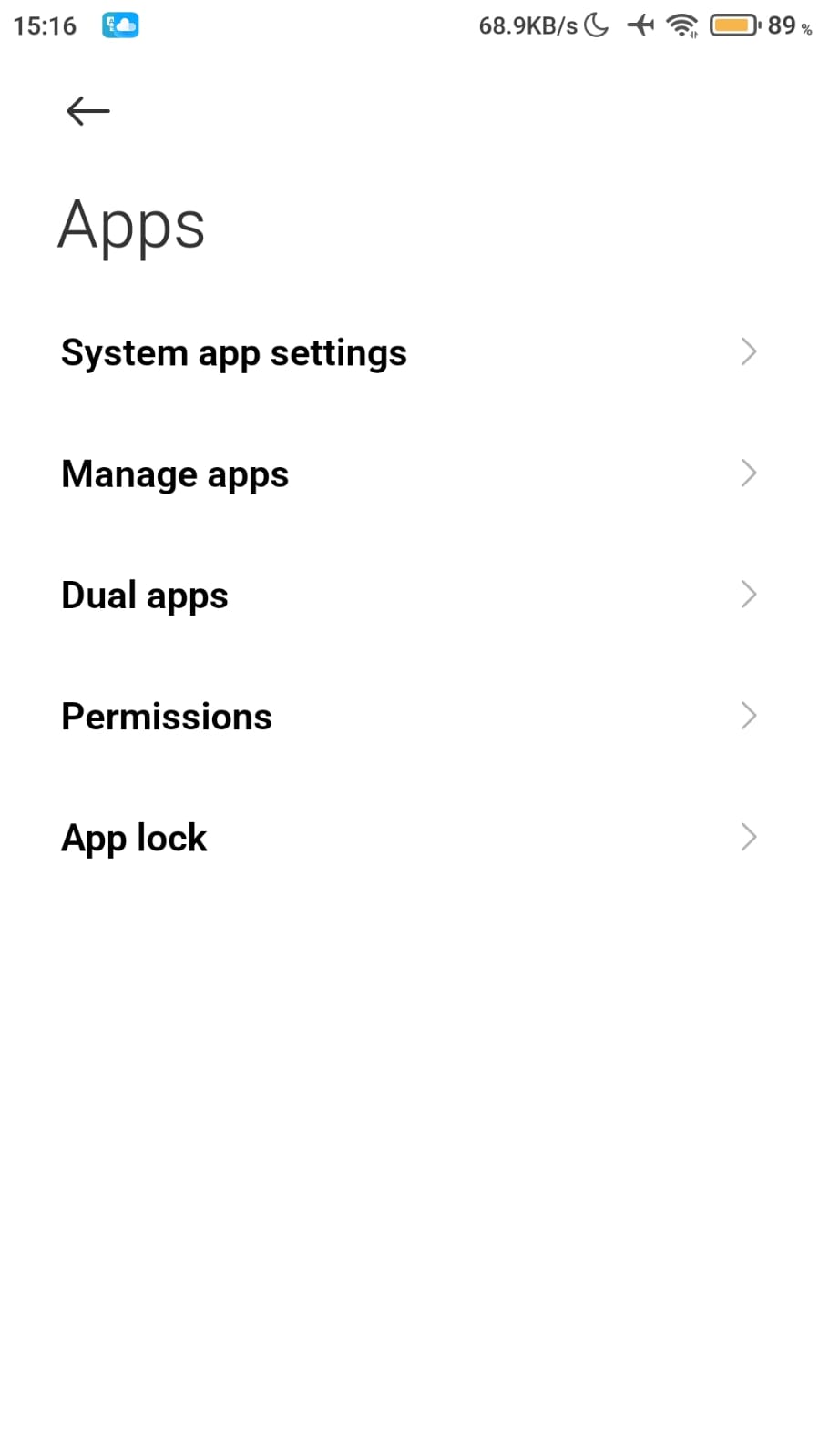
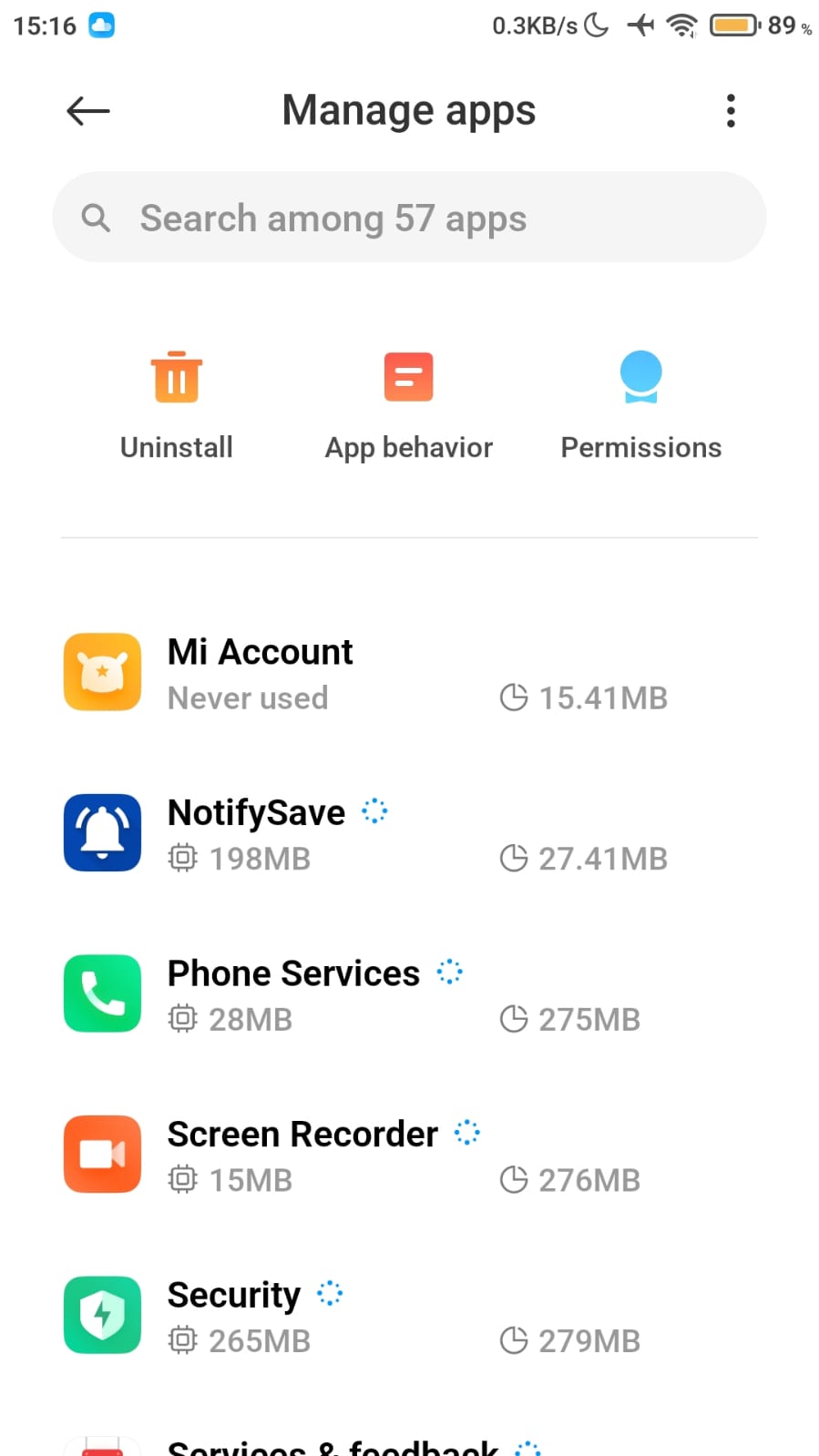
- Find NotifySave in the app list and tap it.
- Go to Battery optimization.
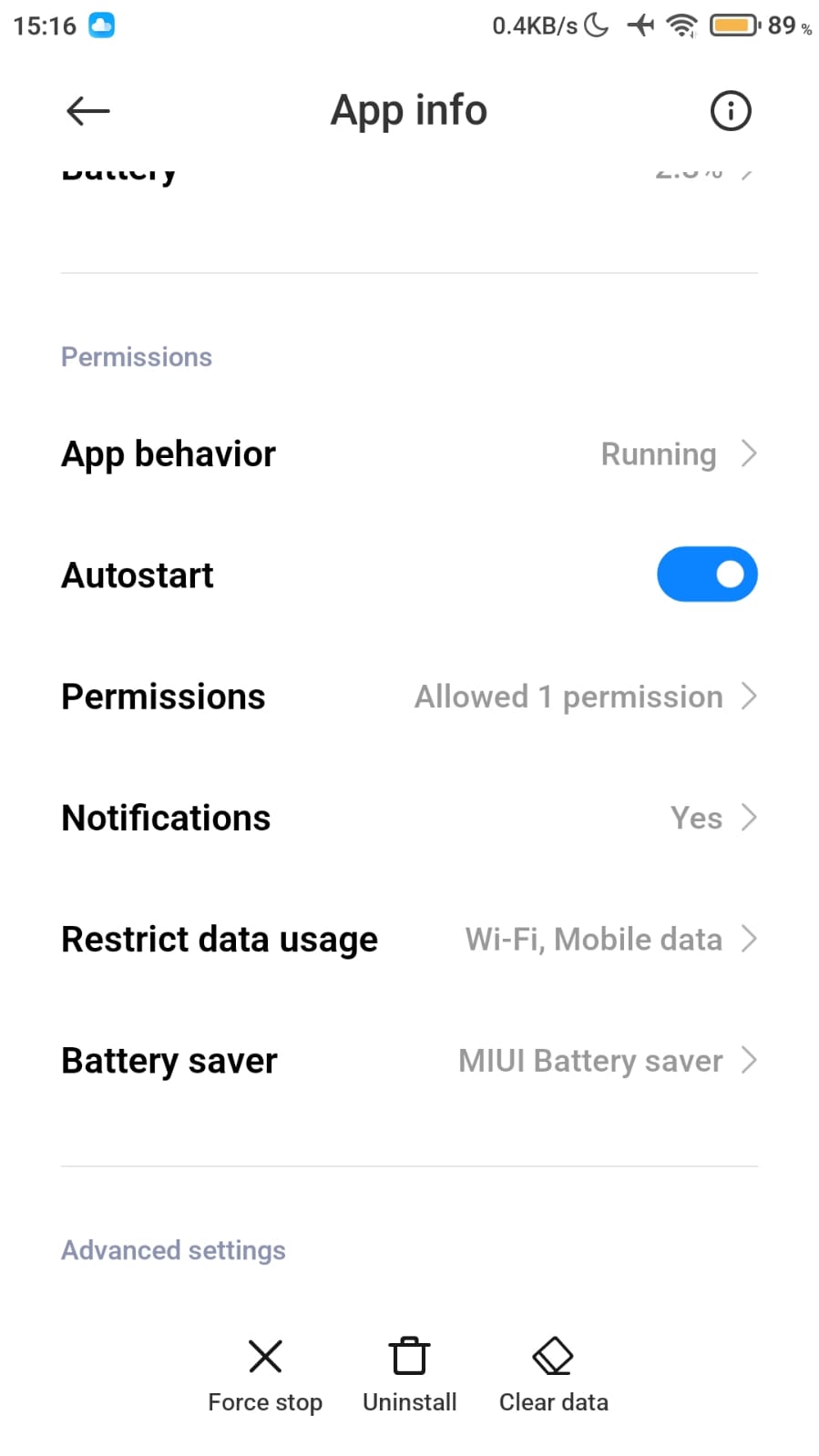
- Select No restrictions. You can now use the app without interruptions.
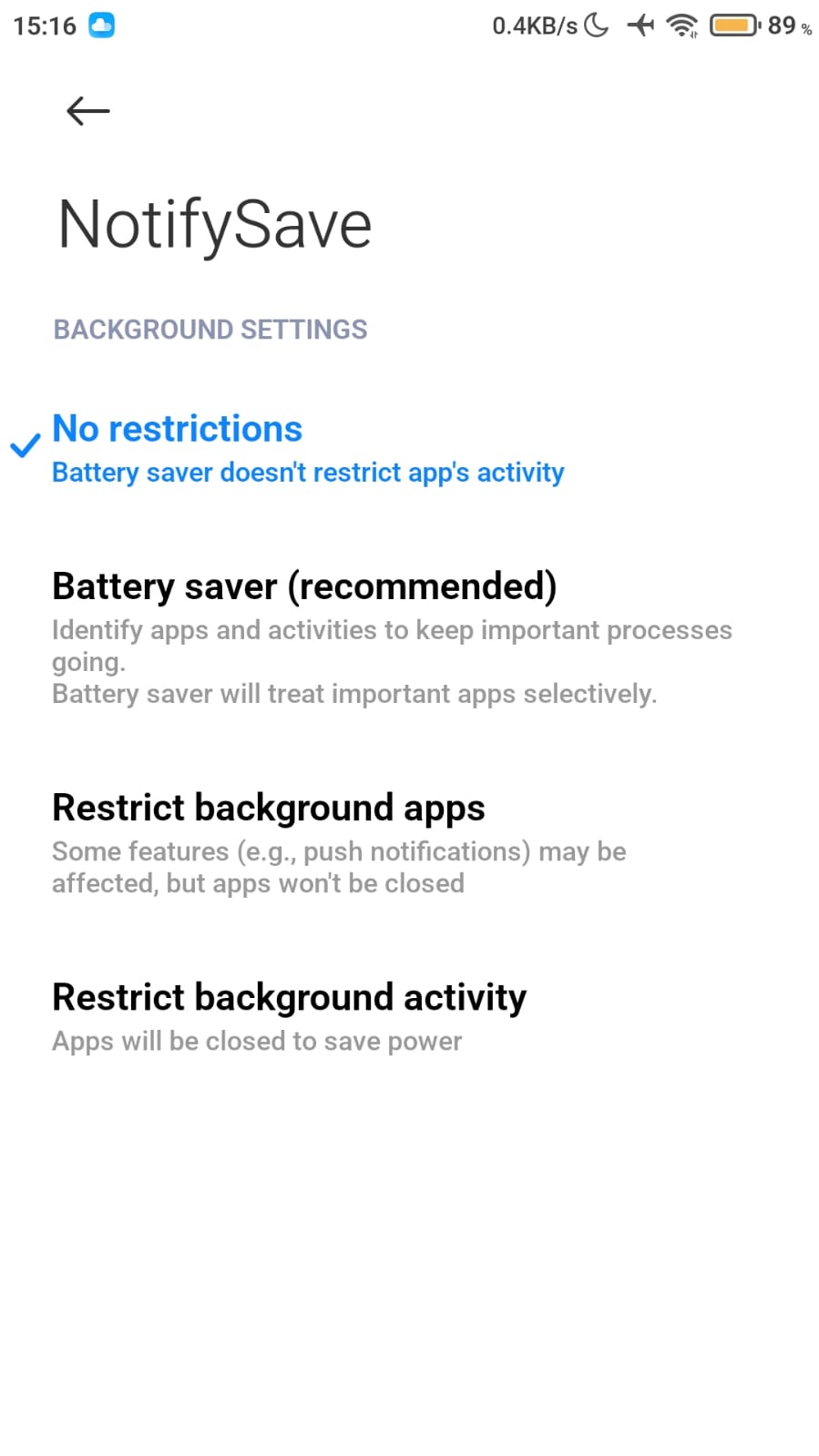
Menu names can differ slightly depending on your software and Android version.
Still having problems?
If you run into a different problem, please leave us feedback.
Was this article helpful?
Thanks for your feedback!
Sorry about that. Our team can help you directly.
Contact support