

How to Use Favorites in NotifySave to Group Apps
On this page (3)
With Favorites in NotifySave, you can group several apps and see their notifications together in one place, including notifications received earlier.
How to create a Favorites group
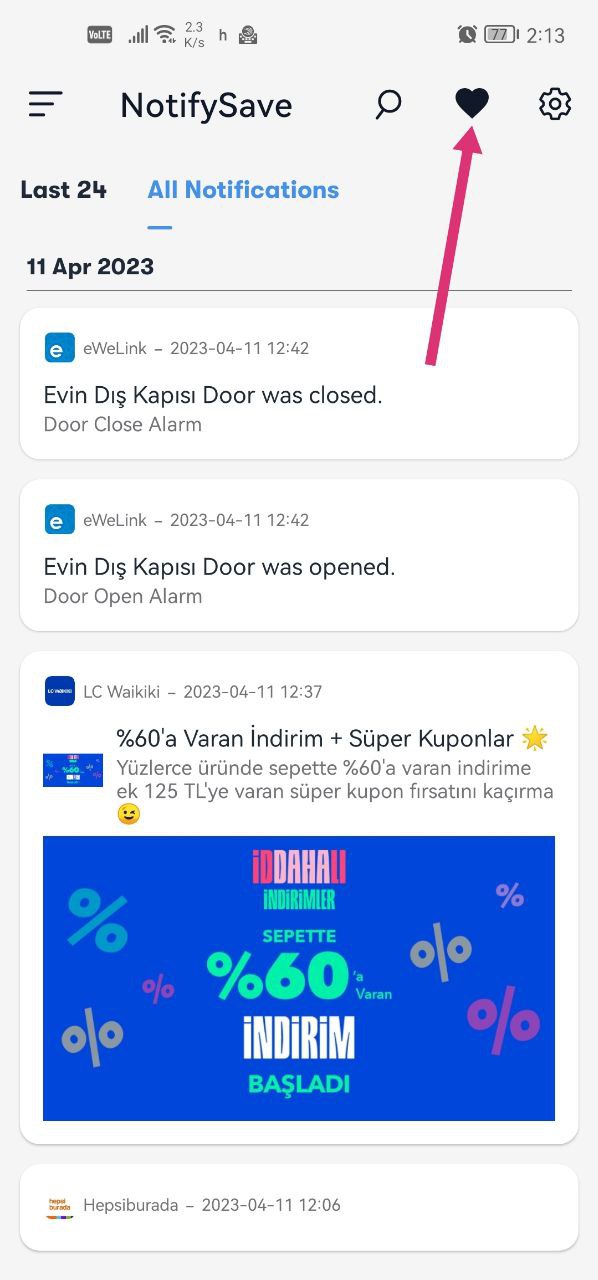
- Tap the heart icon on the app screen.
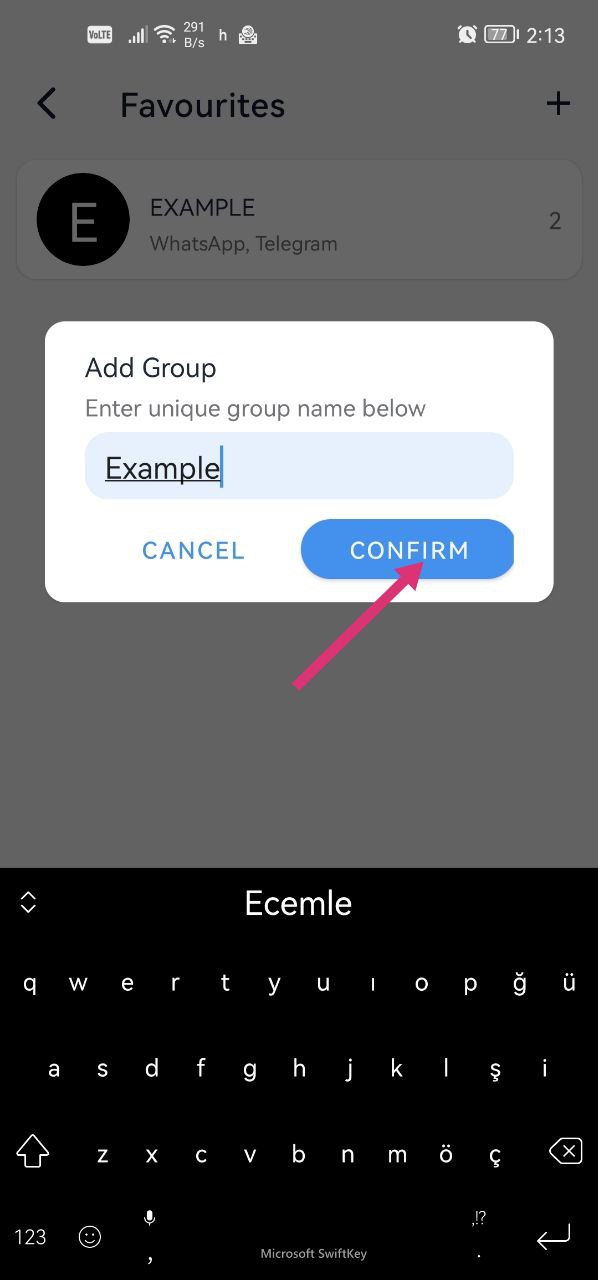
- Tap the + button, type a name and create a group.
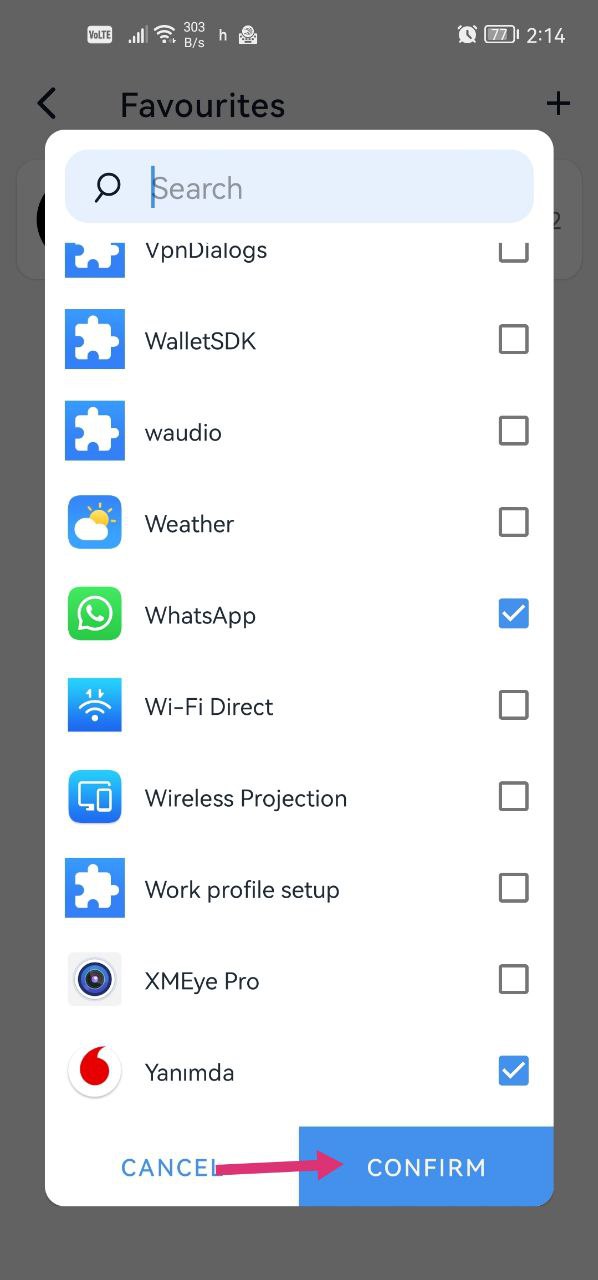
- On the next screen, select the apps you want to see together and tap Confirm.
Example uses
- See all your shopping apps together.
- See only messages from WhatsApp and Telegram.
- View earlier (retroactive) notifications from the grouped apps together.
At the time of writing, Favorites was free to use.
Example with screenshots
Was this article helpful?
Thanks for your feedback!
Sorry about that. Our team can help you directly.
Contact support