

How to Open Links Automatically After Scanning a QR Code
Turn on the Open links option in the app's settings so links open automatically after scanning, getting you to them faster.
Steps
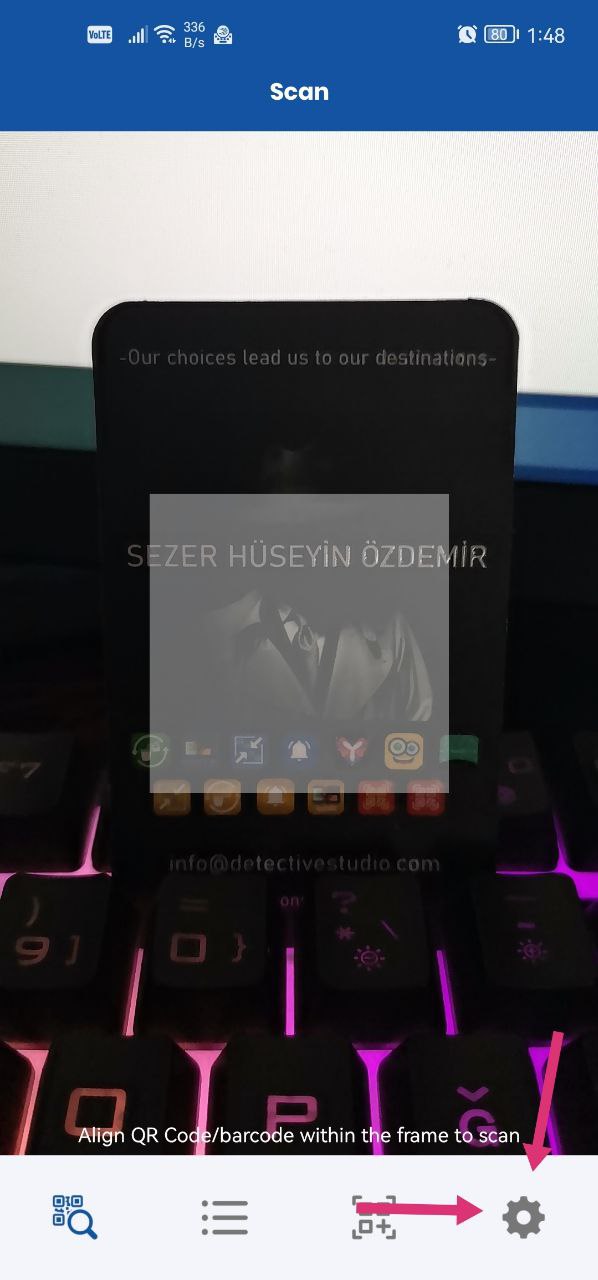
- On the app's main screen, tap Settings at the bottom right.
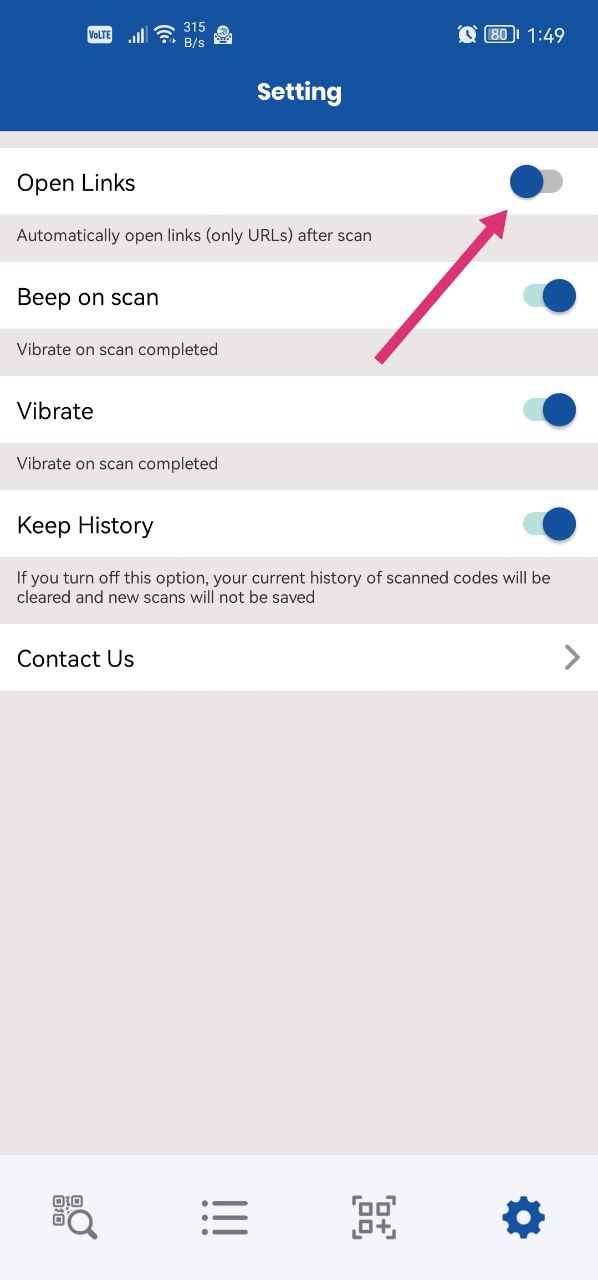
- Turn on the Open links option.
From now on, links open automatically after you scan a code.
Was this article helpful?
Thanks for your feedback!
Sorry about that. Our team can help you directly.
Contact support