

How to Turn Off the Scan Sound and Vibration
To scan silently, turn off Beep on scan and Vibrate in the app settings.
Turn off sound and vibration
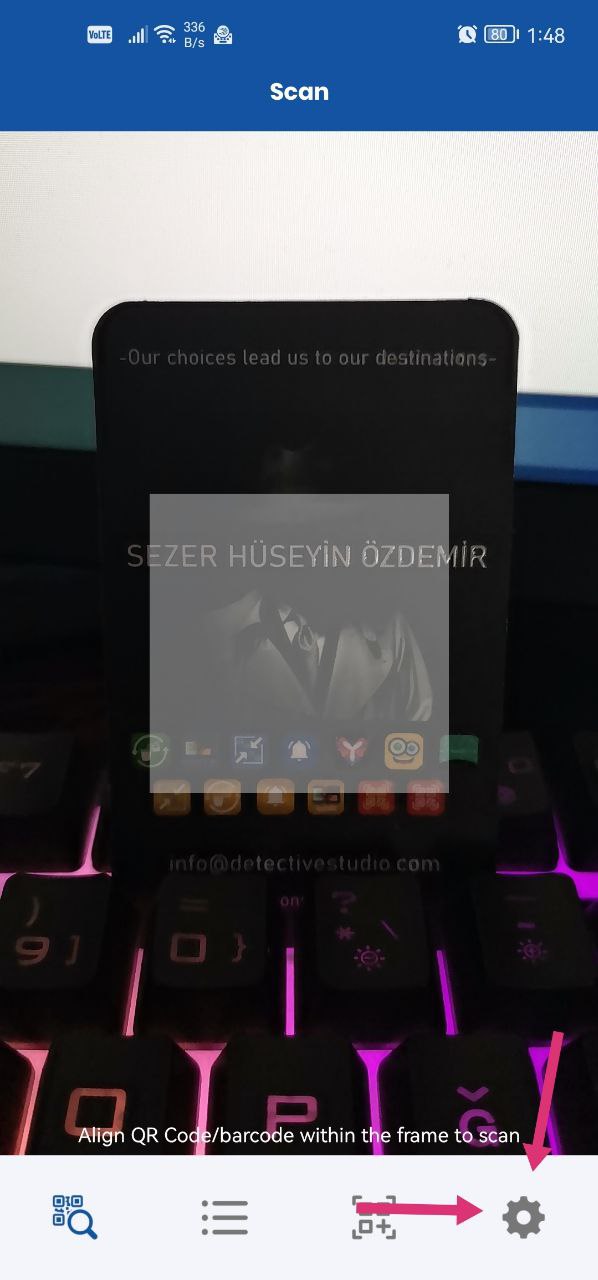
- On the app's main screen, tap the settings at the bottom right.
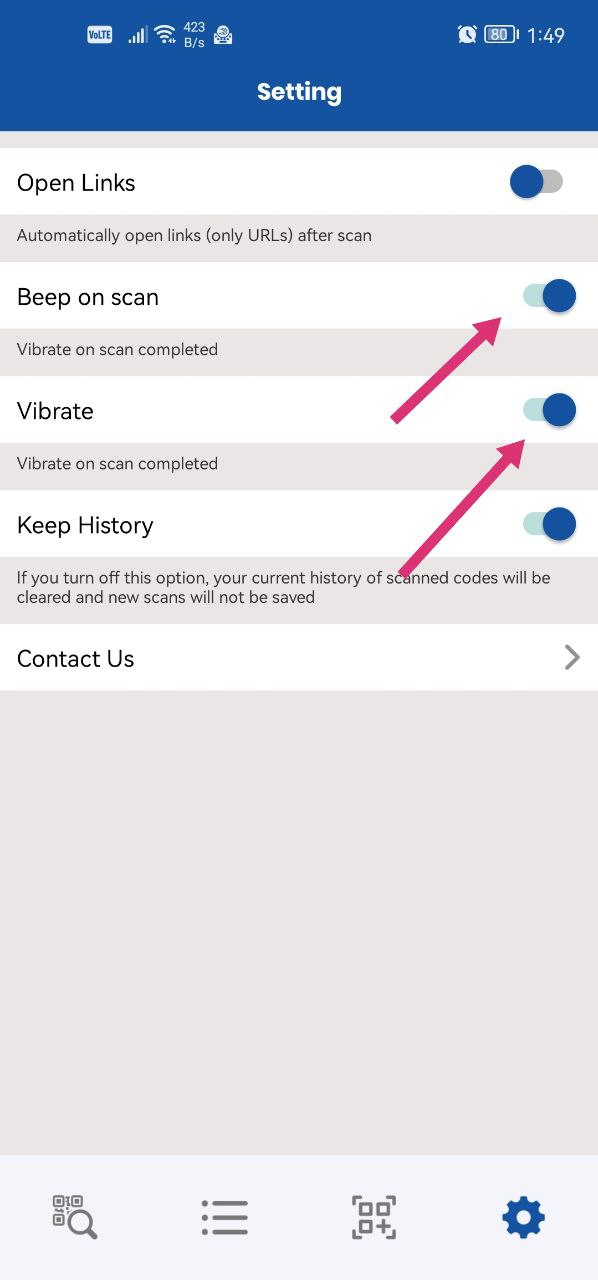
- Turn off Beep on scan and/or Vibrate, as you prefer.
The app will no longer beep or vibrate after scanning.
Was this article helpful?
Thanks for your feedback!
Sorry about that. Our team can help you directly.
Contact support