

How to Share an App with a QR Code
You can turn any app on your phone into a QR code in the QR Code and Barcode Scanner app, then save, print or share it.
Create a QR code for an app
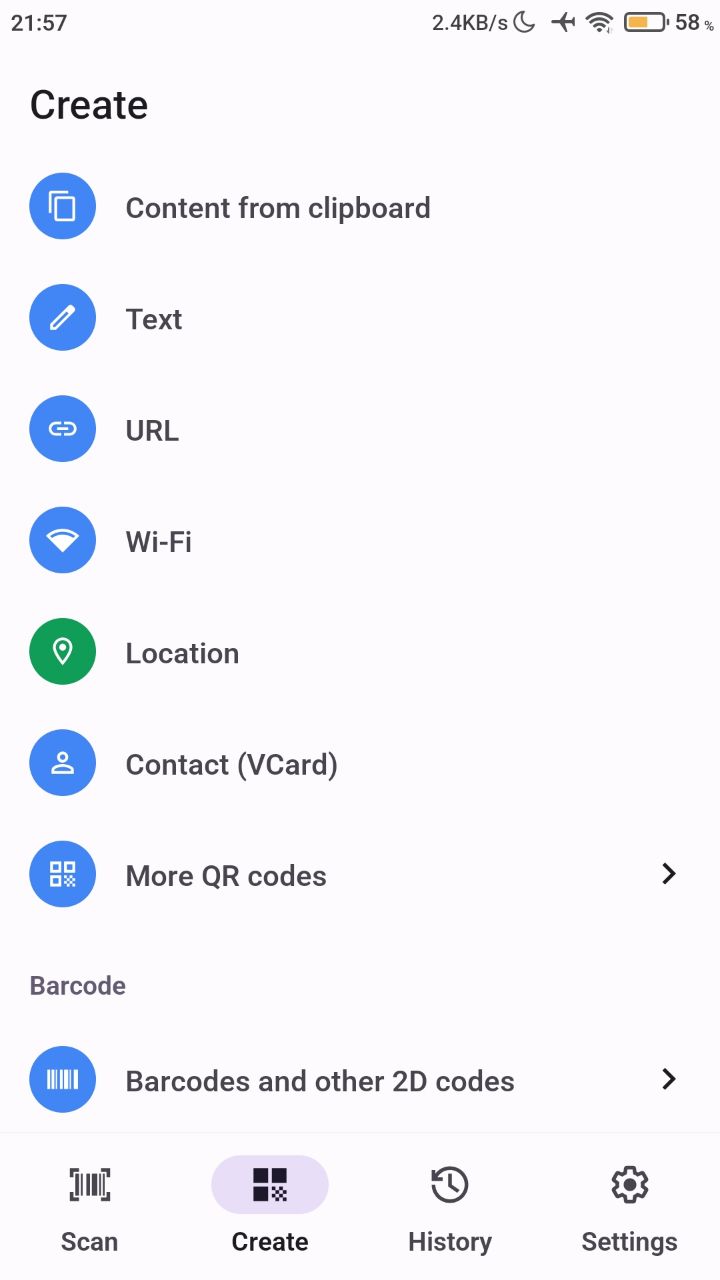
- Open the QR Code and Barcode Scanner app.
- Tap the Create tab.
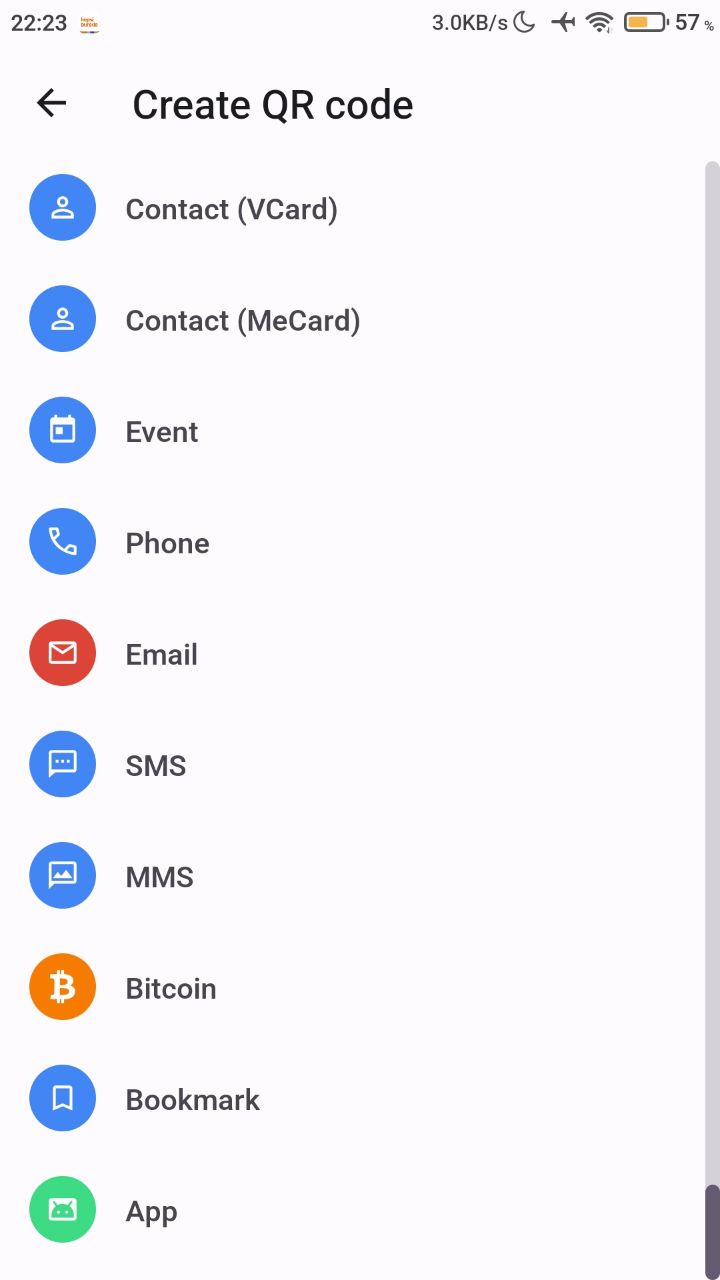
- In the More QR codes section at the bottom, tap App.
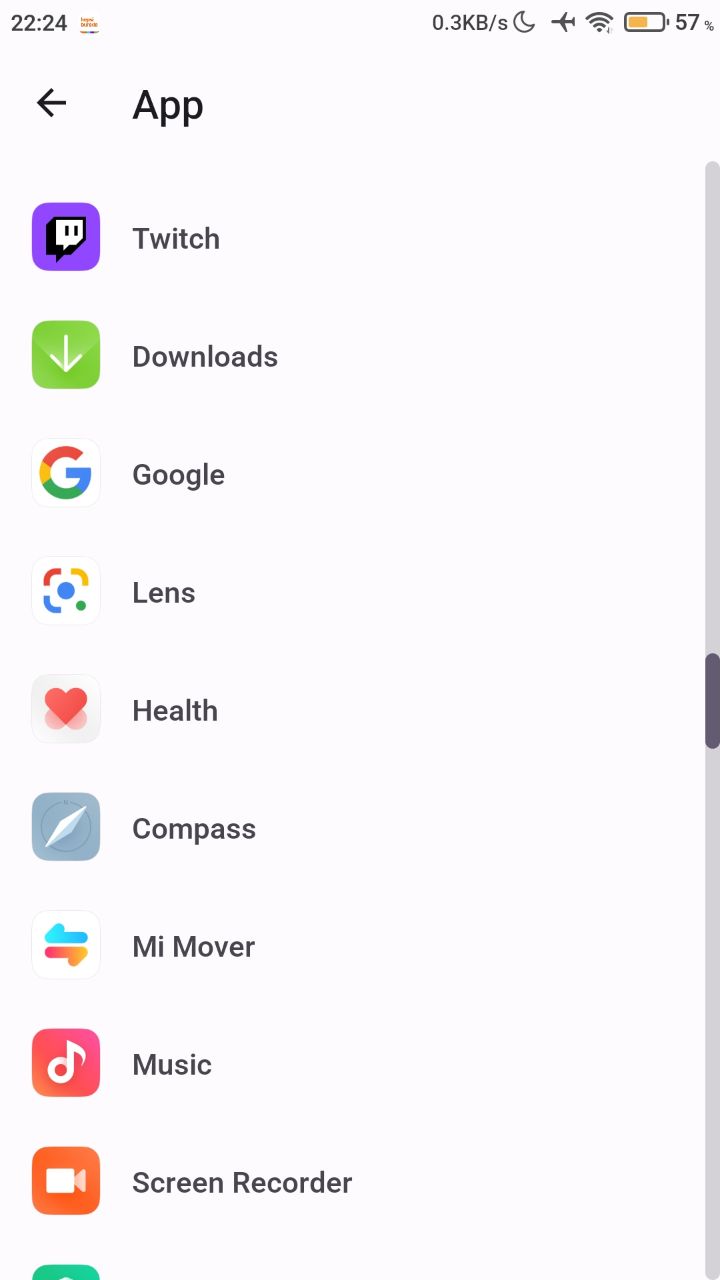
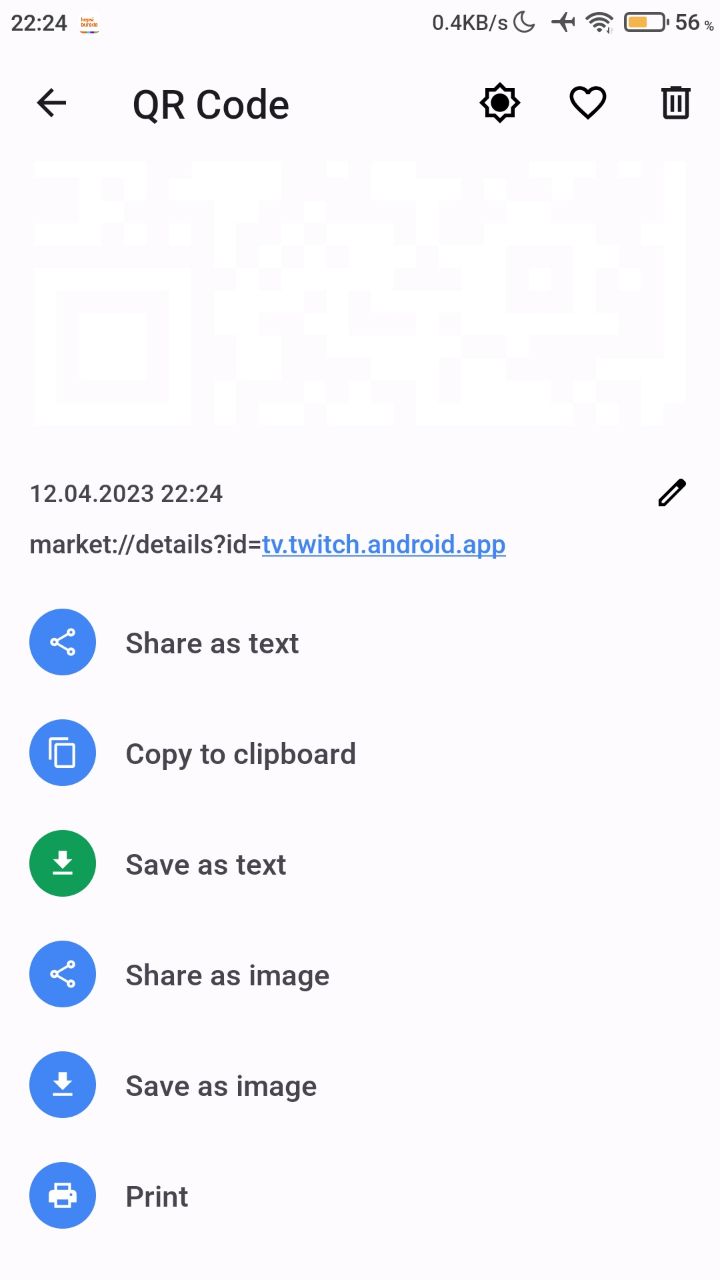
- Select the app you want to share. Your QR code is ready.
- Save it to your phone, print it or share it with a friend.
Was this article helpful?
Thanks for your feedback!
Sorry about that. Our team can help you directly.
Contact support