

How to Turn On Dark Mode in the QR Code App
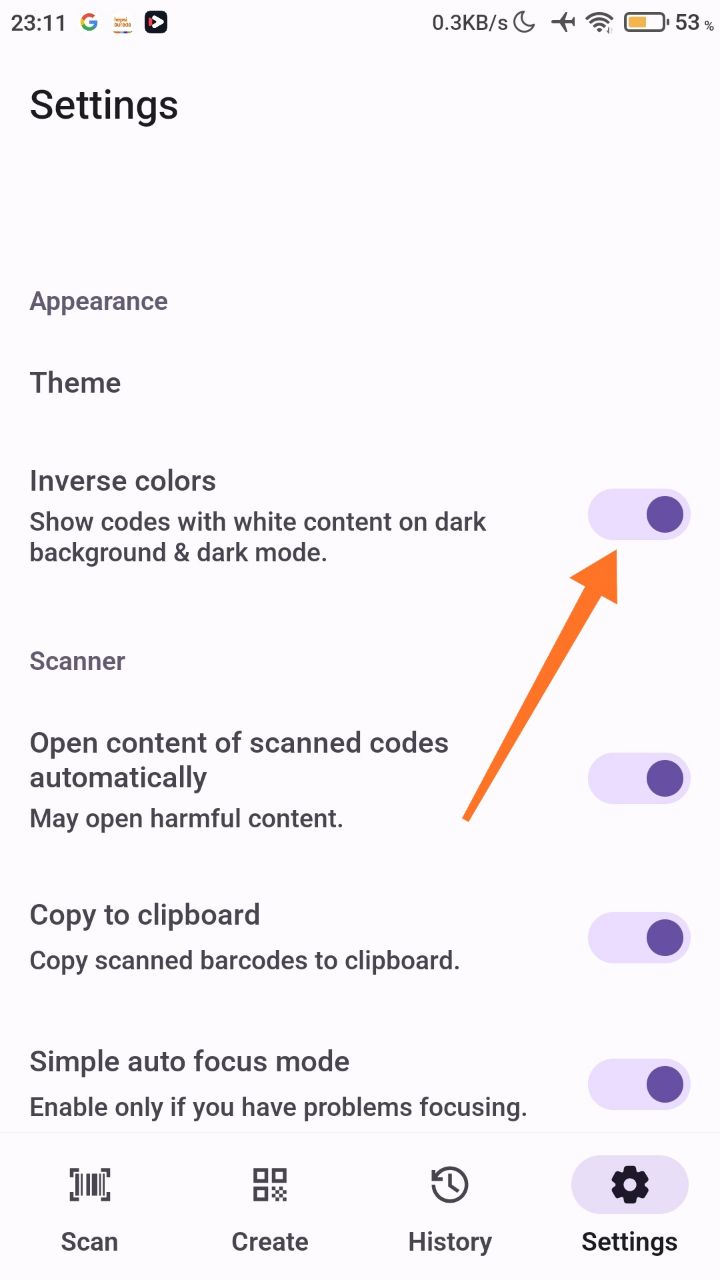
To use dark mode, turn on Inverse Colors in the app settings.
Turn on dark mode
- Open the app and go to the settings.
- Activate the Inverse Colors option.
Codes and content are now shown on a dark background.
Was this article helpful?
Thanks for your feedback!
Sorry about that. Our team can help you directly.
Contact support