

How to Compress a Video with Video Compress
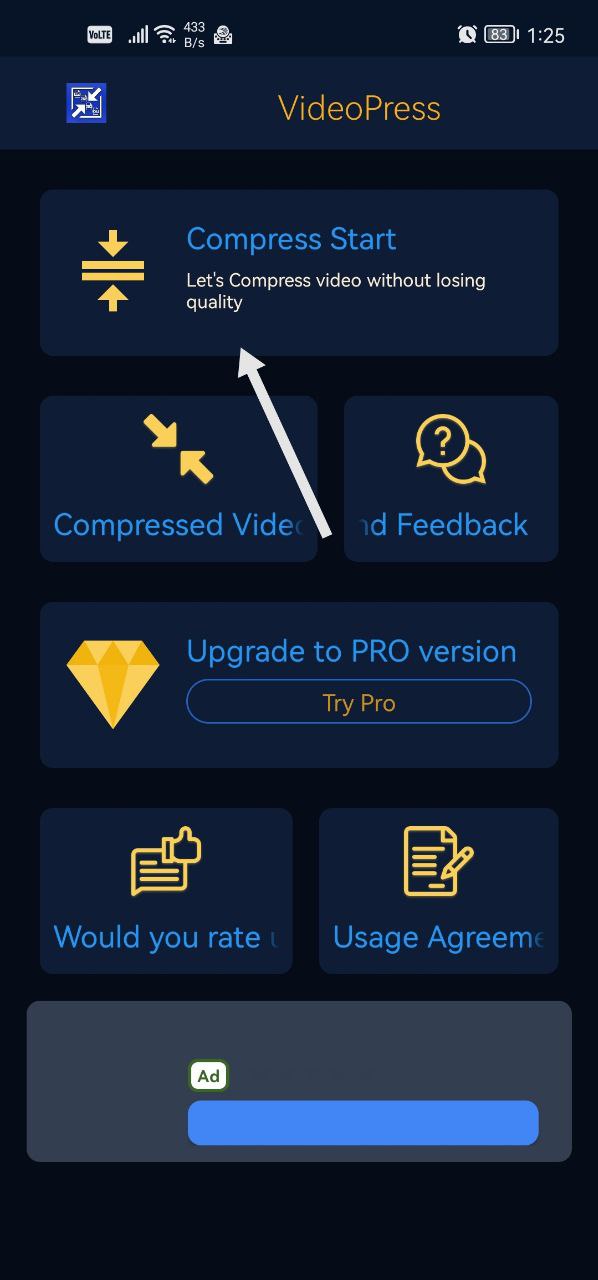
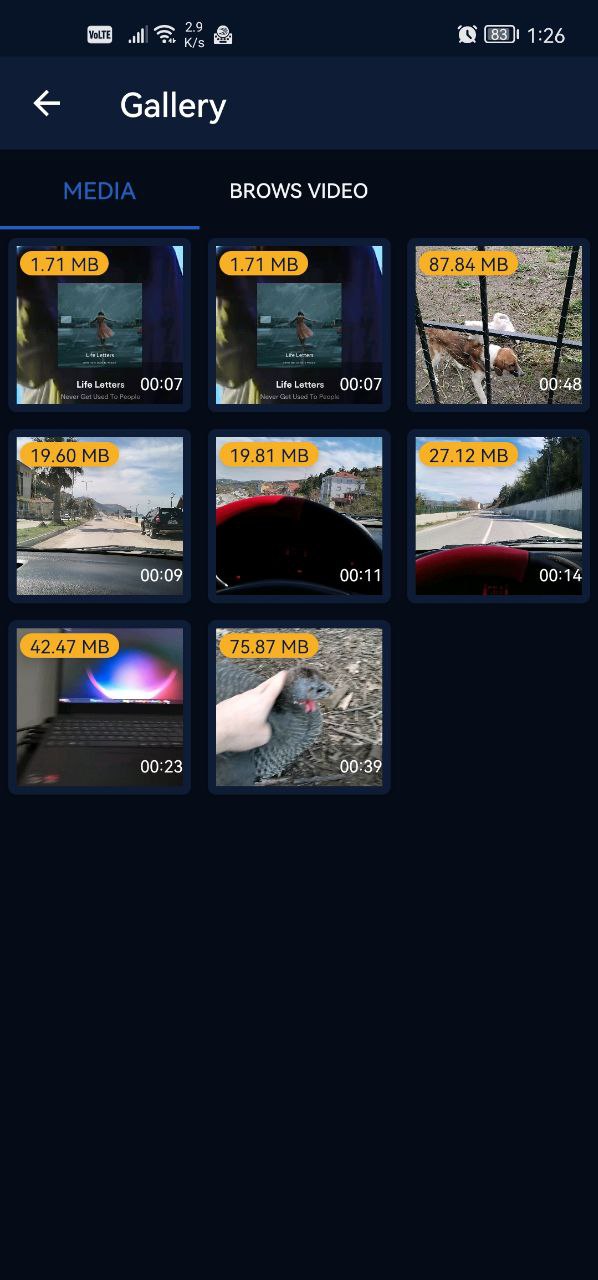
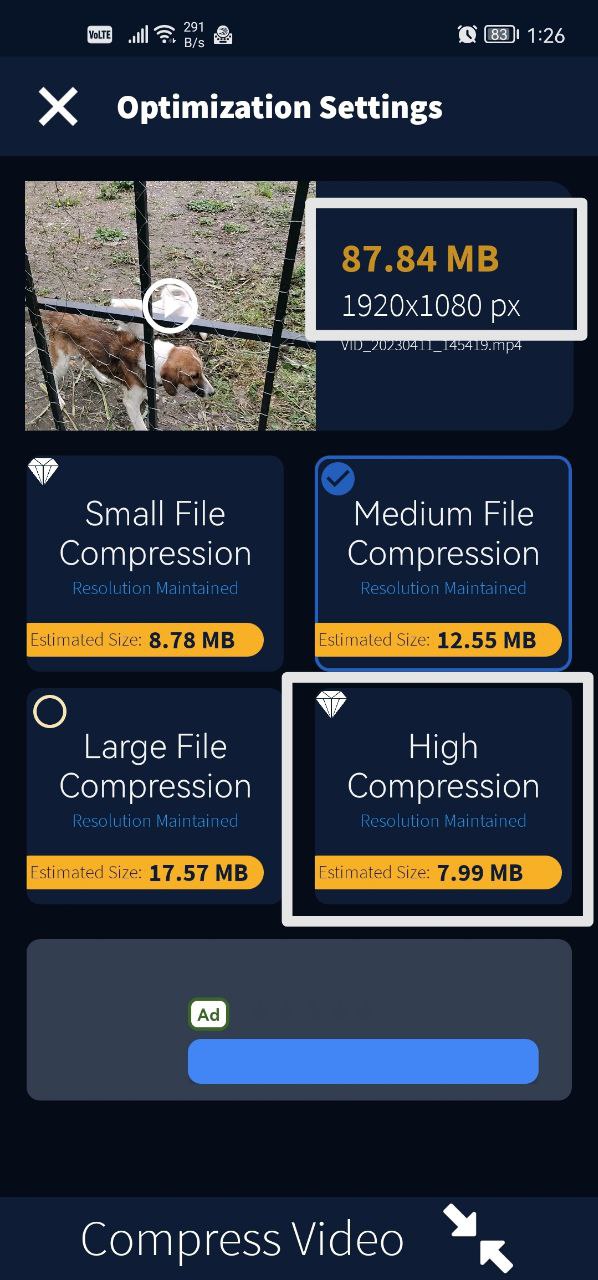
To compress a video, tap Compress Start, pick the video and choose how much to compress it. All compression options preserve the video's resolution.
Steps
- On the app's main screen, tap Compress Start.
- Select the video you want to compress.
- Choose how much you want to compress it.
Was this article helpful?
Thanks for your feedback!
Sorry about that. Our team can help you directly.
Contact support