

Can't Find Your Video When Compressing? Here's the Fix
If your video doesn't appear when you start compressing, switch to the Browse Video tab and search for it on your device.
How to find your video
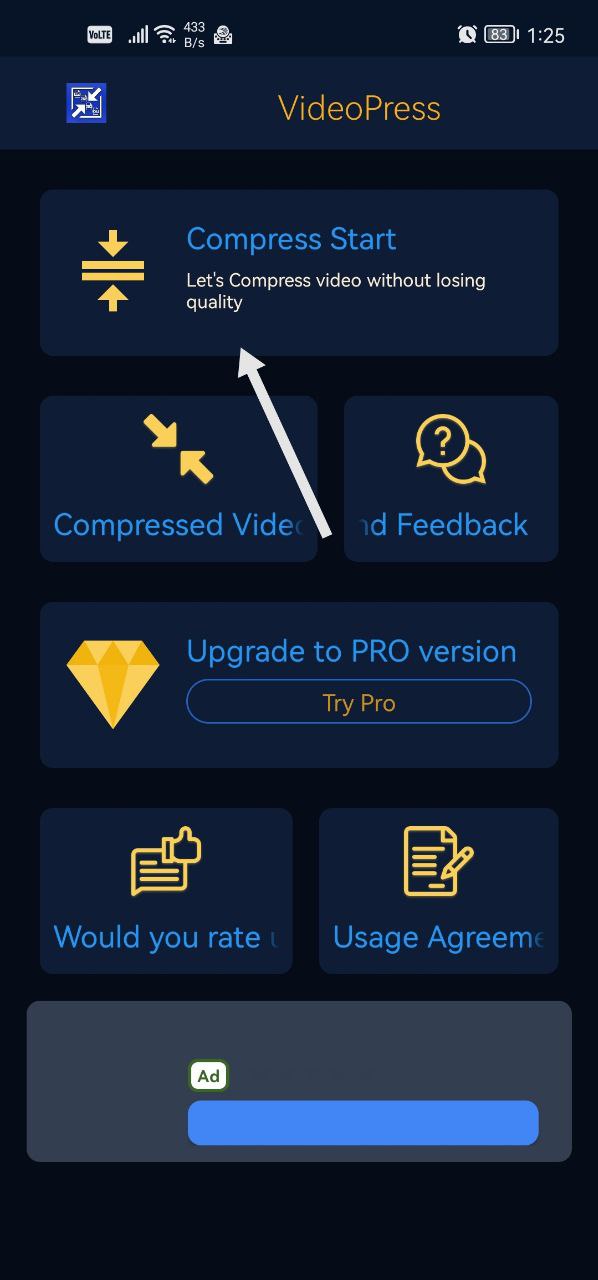
- On the main screen of the app, tap Compress Start.
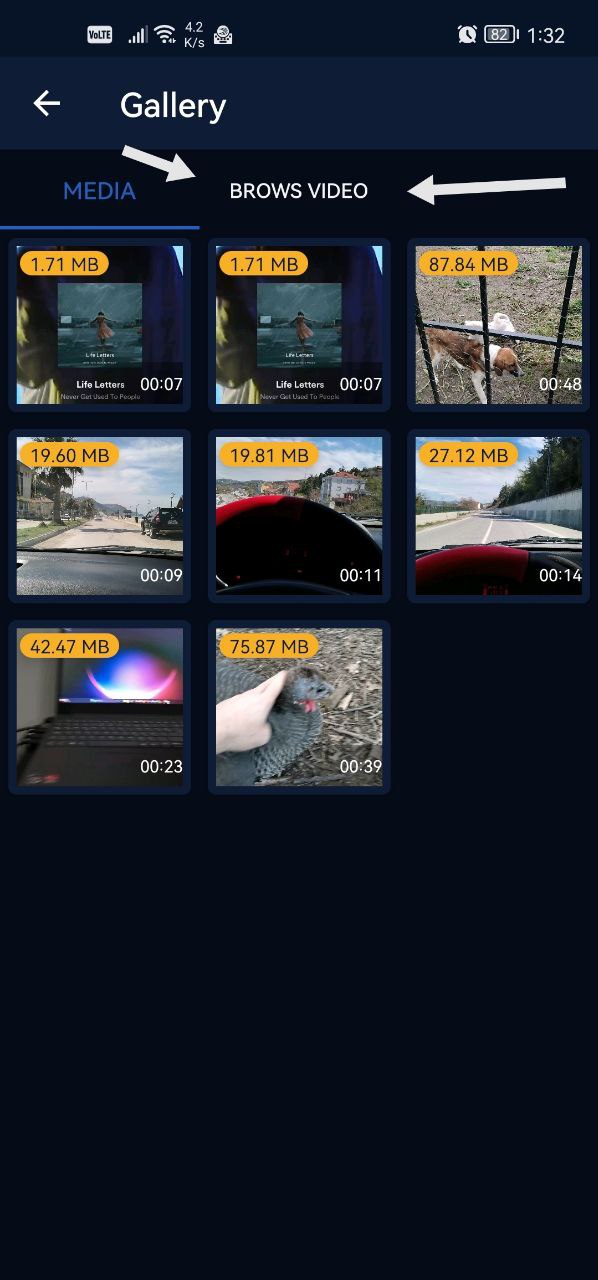
- If you can't find your video on the screen that appears, switch to the Browse Video tab.
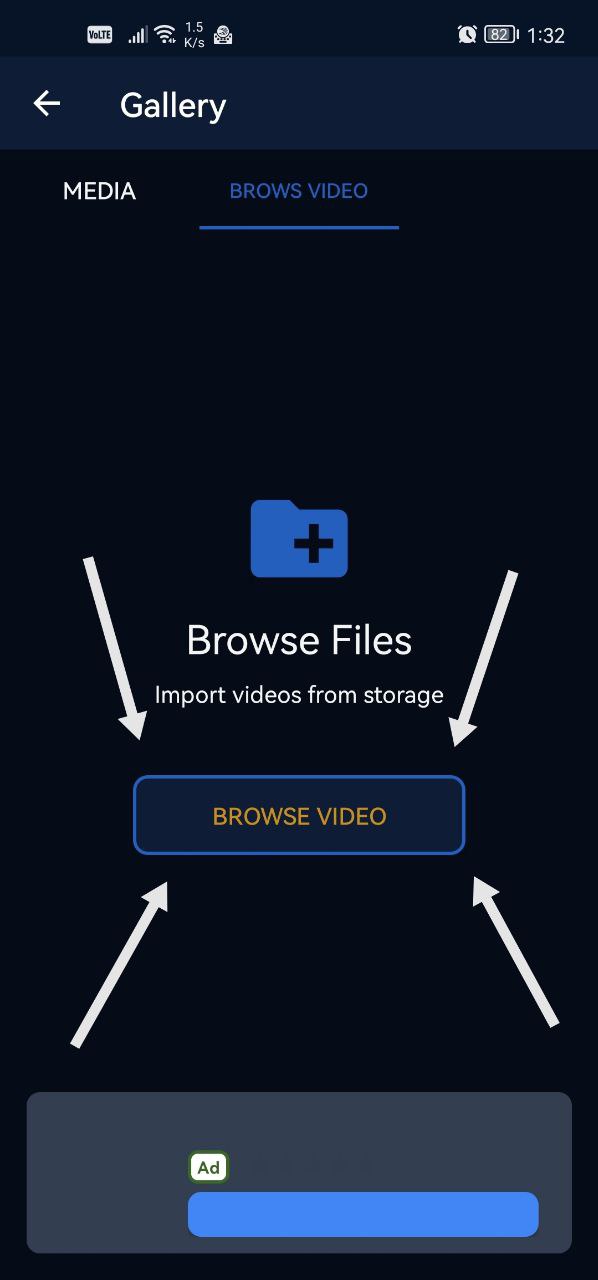
- Tap the Browse Video button to search for the video on your device.
Was this article helpful?
Thanks for your feedback!
Sorry about that. Our team can help you directly.
Contact support